



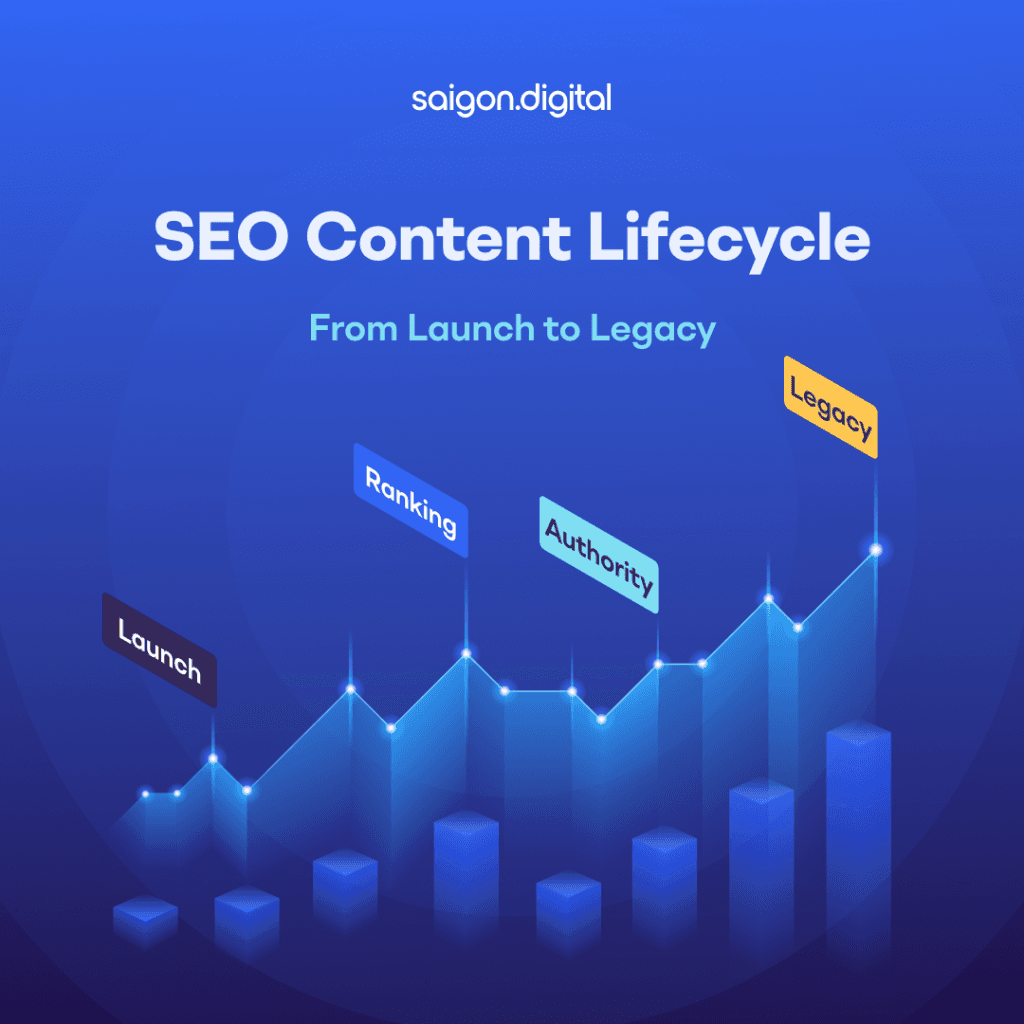
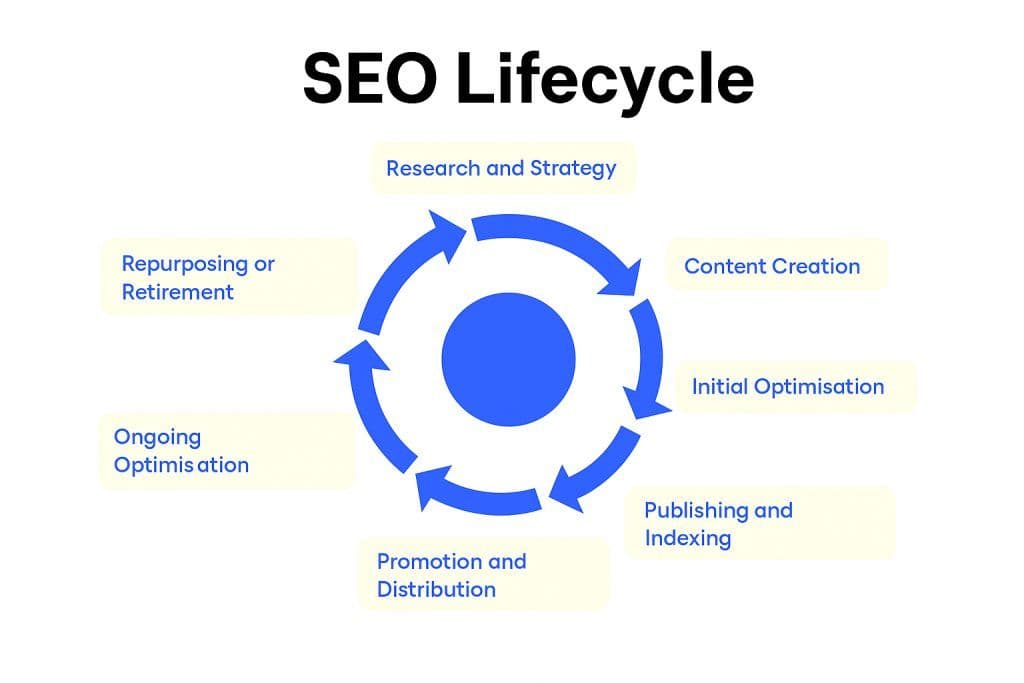
- Research and Strategy
- Content Creation
- Initial Optimisation
- Publishing and Indexing
- Promotion and Distribution
- Performance Monitoring
- Ongoing Optimisation
- Repurposing or Retirement
SEO Content Lifecycle vs Content Creation Workflow: What's the Difference?
These two terms get used almost interchangeably, and in practice they describe the same underlying journey, just from different angles, so it's worth being clear on both.The SEO content lifecycle (sometimes written as SEO lifecycle or SEO life cycle) is the map: the stages a piece of content moves through, from research and strategy right through to repurposing or retirement, and everything that happens to it in between.A content creation workflow is the day-to-day process for moving through that map: who owns each stage, what tools they use, and how work gets handed off from one person to the next. A content strategist might own research, a writer owns drafting, an SEO specialist owns optimisation, and a content manager owns publishing, all following the same lifecycle, just with clear roles attached.You need both. The lifecycle keeps you thinking long-term about a piece of content's full life, not just its launch day. The workflow keeps your team organised enough to actually execute it, stage by stage.Stage 1: Research and Strategy
Before you write a single word, you need clarity. What question are you answering? Who are you answering it for, and why might they care? That’s what this stage is about. It’s your opportunity to line up purpose, audience, and competition so that when you do write, you’re writing with intent and direction, not at random.Keyword Research with Intent
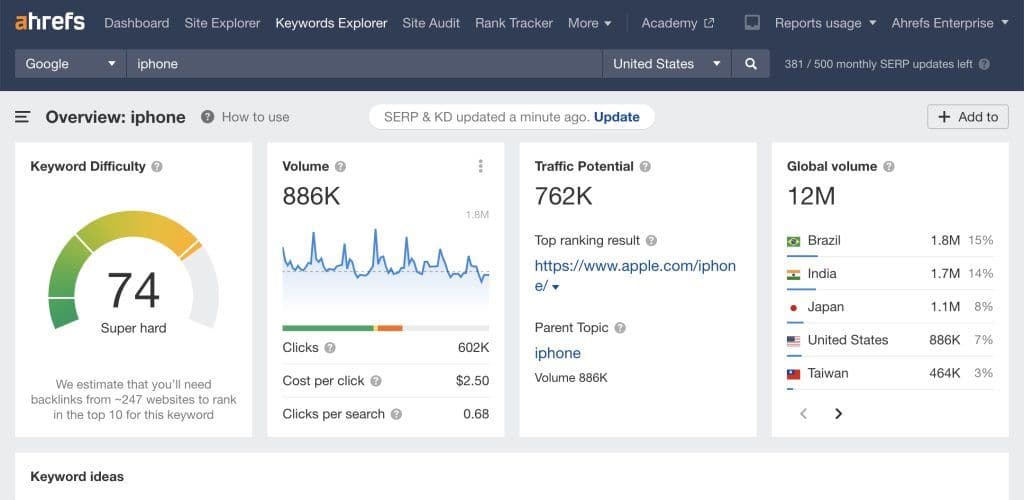
Word count and search volume alone won’t cut it. Really dig into why people are searching. Are they trying to learn something? Compare options? Or ready to buy? Understanding search intent ensures your content delivers exactly what readers want.- Use SEO tools like SEMrush, Ahrefs, or Google Keyword Planner to identify high-value keywords.
- Look for long-tail phrases like “seo content lifecycle for beginners” or “stages of seo for B2B websites” for more specific targeting.
- Understand search intent categories: informational, navigational, commercial, transactional.
Audience Persona Mapping
Who’s this for? A small business owner, a seasoned marketer, a curious blogger? Build personas that include their goals and frustrations. It'll help you choose the right tone, examples, and depth to make your content feel relevant. You should consider these attributes when mapping audience persona:- Industry
- Job role
- Problems they face
- How your content solves their issues
Competitive Analysis
There’s no better place to draw the roadmap of your content than taking a peak at your competitors. What’s ranking for your topic? What’s missing or weak about those pieces? That’s your opportunity to stand out, whether that’s through better visuals, fresh data, or a clearer explanation. You can start this competitor analysis by doing a simple Google search. Look at the top 10 search results for your main keyword.- What type of content is ranking? Listicles, guides, opinion pieces?
- What are they missing?
- Can you offer deeper analysis, unique data, or a more engaging format?
Topic Clusters and Pillar Pages
As your content strategy grows more sophisticated, it becomes essential to organise content not as isolated pages, but as part of a broader thematic structure. This is where topic clusters and pillar pages come into play. A topic cluster is a method of grouping related pieces of content around one central, comprehensive page known as the pillar page. This cluster approach supports SEO by signalling topic authority to search engines while also improving user experience by helping readers navigate related information more easily. The Pillar Page acts as the authoritative hub, offering a high-level overview of a core topic, say, email marketing. Around it, a series of cluster pages explore related subtopics in detail, such as A/B testing email campaigns, list-building strategies, or email deliverability best practices. Each cluster article links back to the pillar, and the pillar links out to all its supporting content. This interconnected architecture builds topical relevance and increases the chances of multiple pages ranking for related search queries.Stage 2: Content Creation
Now that you’ve had a solid SEO strategy , you can start creating your content for real. Here’s where the magic really happens. You want content that’s informed, structured, and easy to digest.Writing for Search and Humans
Strike a balance. Use your keywords, sure, but write like a person talking to another person. If your tone sounds robotic or you're stuffing phrases unnaturally, it defeats the purpose. Instead, aim for natural, informative, and helpful.Content Structure and Design
Nobody likes a wall of text. Use clear headings, bullet points, short paragraphs, and visuals. Not only does it help the reader, but it’s great for SEO too since search engines love well-structured content for snippets and architecture.Internal Linking Strategy
Every new article should act as a bridge between your content. Link to older posts that add value. That way, you keep visitors exploring your website, which in turns keep them engaged and stay longer on your website. You should consider distributing SEO value around your site, and avoid having orphan pages .Stage 3: Initial Optimisation
Even the best content can fall flat if it’s not polished for search visibility. This step is all about those small but crucial technical details that help both people and bots find, understand, and index your stuff.On-Page SEO Essentials
Make sure your on-page SEO is on point. That means ensuring the title is descriptive and appealing, your meta description is clear and click-worthy, and your URL is clean and keyword-aware. Little things like this make a big difference in click-through rates and rankings.Image Optimisation
Use real (not generic stock) images where possible. Edit filenames for clarity, add keyword-rich alt text, and size them properly so your page loads fast and looks visually appealing.Technical SEO Checks
Before publishing your content, remember to adhere to technical SEO checklists . Use tools, preview your page on a phone, check your loading speed, do everything you can to avoid small issues that can hold you back. And don’t forget schema markup where it fits, especially for FAQs or key sections.Stage 4: Publishing and Indexing
Publishing isn’t just hitting "go." You want your content noticed and quickly.Go Live with Purpose
Before going public, double-check everything: links, formatting, SEO tags. Once live, ask Google to index the page, especially if it's brand new or updating an old post—and watch for errors.Ensure Discoverability
Once published, make sure it’s findable: add it to your sitemap, link to it from other relevant pages, update any navigation or breadcrumbs. That helps search engines and users find the new piece naturally.Stage 5: Promotion and Distribution
A great piece of content won’t amount to much if no one sees it. That’s why promotion is just as important as writing.Social Media Distribution
Tailor your message to each platform. A pithy slide for LinkedIn, a helpful thread on X (Twitter), or a friendly post on Facebook, use each channel in a way that feels natural and audience-appropriate.Email Newsletters
Your subscriber list is prime real estate. Send a teaser or summary with a link to the full post, especially to segments who would appreciate the topic most.Link Building and Outreach
Reach out with genuine value. If your content solves a problem or fills a gap, people will link naturally, but you can speed that up by personally pitching to thoughtful supporters or industry peers.Stage 6: Performance Monitoring
You’ve launched and promoted the piece, time to see how it’s performing. But don’t just look at traffic; understand behaviour, engagement, and impact.Key Metrics to Track
Look at impressions, clicks, bounce rate, time on page, and most importantly, the conversions that matter to you (like sign-ups or downloads). These metrics give you a fuller picture than traffic alone.A performance dashboard that pulls these metrics into one view makes this stage far easier to run consistently across a growing content library, rather than checking each page individually.Behaviour Analysis
Heatmaps and session recordings can show where people stop reading or get confused. Are they clicking off after a certain section? That’s your cue to rework or improve that part.Stage 7: Ongoing Optimisation
Quality content isn’t evergreen by accident; it's evergreen because you keep it that way.Refreshing Existing Content
Update stats, adjust based on new trends, add fresh examples or FAQs if needed. Consistently revisiting your content helps reinvigorate rankings and relevance.As a general rule, revisit your highest-value pages every three to six months, and run a fuller content audit across the site once or twice a year. Move sooner if you notice a ranking drop, a core algorithm update, or a competitor overtaking you for a keyword that matters.
UX and SEO Enhancements
Swap in a more engaging header image, tighten your CTAs, or embed an engaging video. These small tweaks can keep your piece performing well long after launch.Stage 8: Repurposing or Retirement
Not every piece earns a forever spot. Some can be transformed; others might be best archived or redirected.Repurposing Content
Double down on winners. Turn them into videos, slide decks, or podcast episodes. Use quotes and stats for social graphics. It’s about getting the most mileage from what works.When to Retire Content
If something shows little return and no longer aligns with your strategy, it may be time to pull the plug. Use 301 redirects to guide users and preserve any remaining value.This is the point where the lifecycle connects directly to content pruning: a structured process for deciding, page by page, whether to update, merge, redirect or remove content that's no longer earning its place. Treat retirement as a deliberate lifecycle stage rather than something that only happens during an emergency clean-up.Treat Your Content Like a Living Asset, Not a One-Off Task
The SEO content lifecycle is about intentional attention, not one-time effort. It’s treating each article as an asset that can grow, adapt, and continue to bring value. By following these eight phases, you’ll build content that endures. Ready to turn your content into a long-term growth engine? At Saigon Digital , we help ambitious brands build and scale SEO strategies that work, from topic clusters and pillar pages to full lifecycle optimisation. Let’s map out your SEO content journey together. Get in touch today to see how we can elevate your content from launch to legacy.Frequently Asked Questions
1. What is the SEO content lifecycle?
The SEO content lifecycle is the full journey a piece of content takes from initial research and strategy through creation, optimisation, publishing, promotion, performance monitoring, ongoing updates, and eventual repurposing or retirement. Treating content as a lifecycle rather than a one-off task helps it keep earning traffic and rankings well after it's first published.
2. What's the difference between an SEO content lifecycle and a content creation workflow?
They describe the same overall journey from different angles. The SEO content lifecycle (or SEO lifecycle) focuses on the stages content moves through, from research to retirement. A content creation workflow focuses on the operational side: who owns each stage, what tools they use, and how work is handed off between team members.
3. How long does the SEO content lifecycle take?
There's no fixed timeline. A single blog post might move from research to publishing in one to three weeks, then continue through monitoring and refresh stages for years afterward. Larger pillar pages or competitive topics often take longer at every stage.
4. How often should you revisit published content in the lifecycle?
As a general guide, review high-traffic or high-value pages every three to six months, and run a fuller content audit at least once or twice a year. Revisit sooner after a core algorithm update, a competitor overtaking you in rankings, or a noticeable drop in traffic or conversions.
5. What tools do you need for a content creation workflow?
At minimum, a keyword research tool (such as Ahrefs, SEMrush or Google Keyword Planner), analytics and Search Console for performance monitoring, and a project management tool (such as Notion, Trello, Asana or ClickUp) to track ownership and deadlines across stages. The right stack depends more on team size than anything else.