



What is Content Pruning?
Content pruning is the process of auditing your website’s existing pages and removing or consolidating those that no longer serve a meaningful purpose. Just as gardeners trim unnecessary branches to help a tree grow stronger, businesses can “prune” weak, outdated, or underperforming pages to ensure their website remains healthy and competitive. This doesn’t necessarily mean deleting content blindly. Instead, it’s about carefully reviewing performance data and deciding whether a page should be updated, merged, redirected, or in some cases, removed entirely.Content Pruning Benefits: What the Data Shows
Content pruning has a solid track record. Across multiple independently published SEO case studies, businesses that prune strategically tend to see measurable gains within weeks rather than months:- Traffic gains often appear quickly. Several agency case studies report organic traffic increases in the region of 20 to 30 percent within four to twelve weeks of a well-planned pruning project, as crawlers reallocate attention to stronger pages.
- Ecommerce and retail sites often see it in revenue too. One widely reported retail case study recorded a 32 percent lift in organic revenue after a large batch of low-performing pages was consolidated and redirected.
- Enterprise sites see compounding gains. A large-scale pruning project tracked over several months found the number of keywords ranking in the top three roughly doubled after a significant share of thin or duplicate pages had been removed.
- User signals improve alongside traffic. Bounce rate and conversion metrics tend to move in the right direction too, since visitors land on fewer outdated or irrelevant pages.
Why Deleting Pages Can Improve SEO
It may feel uncomfortable to delete pages you’ve invested time and resources into, but here’s why pruning can actually help your SEO rankings.1. Improves Crawl Efficiency
Search engines like Google have limited time and resources (often referred to as “ crawl budget ”) to explore your website. If your site is cluttered with thin, duplicate, or irrelevant pages, search engines may waste time crawling them instead of focusing on your high-value pages. By pruning unnecessary content, you allow crawlers to prioritise what truly matters. Example: Imagine a website with 3,000 product pages, half of which are outdated or discontinued. Instead of forcing Google to crawl thousands of irrelevant pages, pruning them ensures the crawler spends its energy indexing products you still sell, thereby boosting their chances of ranking.2. Eliminates Keyword Cannibalisation
When multiple pages target the same keyword or when your site has duplicate content , they end up competing against each other in search results. This dilutes your visibility and makes it harder for Google to understand which page is most relevant. By consolidating similar articles or removing redundant ones, you signal to search engines which page deserves to rank. Example: Let’s say you run a travel blog and have three separate posts about “things to do in Hanoi.” Each attracts a trickle of traffic but none ranks well. Merging these into a single, comprehensive guide improves user experience and increases the likelihood of ranking higher.3. Enhances Site Authority
Not all backlinks are equal. If your website has hundreds of low-quality pages with little to no traffic, they dilute the perceived authority of your domain. A smaller, more refined site is easier for search engines to trust and reward. Think of it this way: a library filled with outdated pamphlets is less authoritative than one stocked with well-researched, relevant books.4. Boosts User Experience
Ultimately, SEO is about providing the best possible experience for users. Landing on irrelevant or thin pages frustrates visitors and increases bounce rates, which are signals that can hurt rankings. A clean, well-pruned site ensures users find what they’re looking for faster, keeping them engaged and more likely to convert.When Should You Prune Content?
Content pruning isn’t about deleting for the sake of it. Instead, it’s about identifying which pages genuinely add value and which ones don’t. Here are some scenarios where pruning is often beneficial:- Outdated information: Pages with content that is no longer accurate or relevant.
- Low traffic over time: Pages with little to no visits in the past 12 months.
- Duplicate or near-duplicate content: Articles or product listings that overlap heavily.
- Thin content: Pages with fewer than a couple of hundred words and no unique insights.
- Expired services or products: Landing pages for offerings that no longer exist.
- Orphaned pages: content with no internal links pointing to it, which is often a sign that even you have forgotten it exists.
- Cannibalising pages: two or more pages competing for the same primary keyword or search intent, splitting your ranking potential between them.
How Often Should You Audit and Prune Content?
There's no single rule that fits every website, but a sensible cadence looks like this:- Large or fast-growing sites (thousands of pages, frequent publishing, ecommerce catalogues): review every quarter.
- Established SME and B2B sites: a full content audit once or twice a year is usually enough.
- After a migration, rebrand or platform change: prune as part of the transition, not months afterwards.
Does Deleting Products Hurt SEO? A Note for Retail and Ecommerce Sites
This question comes up often from our retail and ecommerce clients, and it's worth answering directly: deleting a product page can hurt your SEO, but usually only when it's done carelessly.
A live product page carries several assets worth protecting when a product is discontinued or goes permanently out of stock:
- Organic rankings built up over months or years
- Image search visibility, particularly important for visual categories like fashion, F&B and homeware
- Product schema markup, including price, availability and review data that powers rich results
- Any backlinks pointing to that specific product
- Keep the page live with clear "out of stock" or "discontinued" messaging if the product may return, and show similar or alternative products to keep visitors on-site.
- Redirect the page to the closest matching category or a genuine replacement product if the product is permanently discontinued and a strong alternative exists.
- Let the page 404 or 410 only when there's no realistic alternative and the page has no meaningful traffic, backlinks or search visibility left to protect.
How to Start Content Pruning
At Saigon Digital, we recommend following a structured process that ensures you’re making informed decisions rather than removing content blindly. Here’s how to approach content pruning effectively:1. Audit Your Content
The first step is to understand what you already have. A thorough content audit allows you to see how each page is performing in terms of traffic, rankings, and engagement. Tools such as Google Analytics, Google Search Console, or crawling software like Screaming Frog can help you identify which pages are pulling their weight and which ones may be holding you back. This baseline data is essential before making any decisions.Pairing this with a full site audit and a technical SEO checklist also helps you catch indexability and crawl issues that a content-only review can miss, pages that look fine on the surface but are quietly blocked from ranking.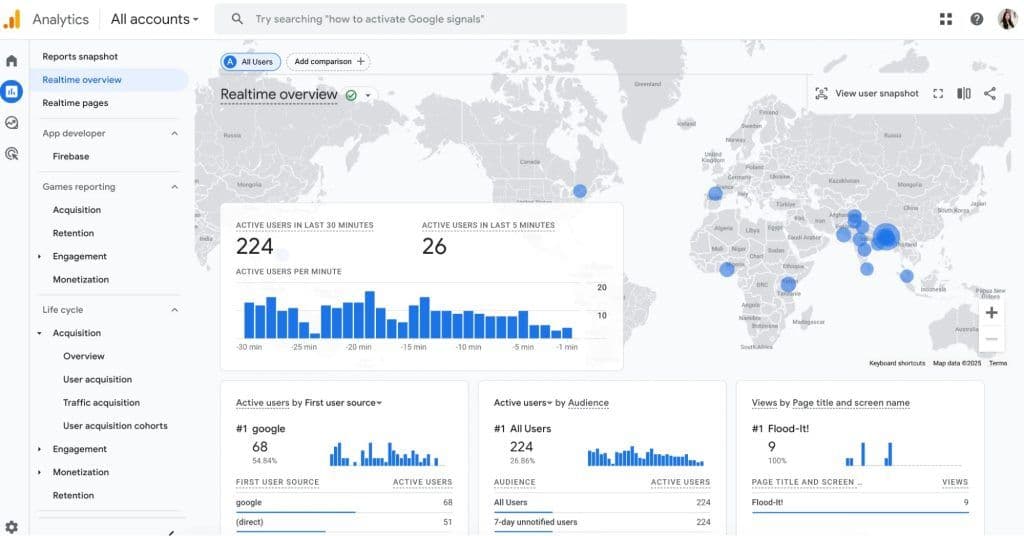
2. Categorise Pages
Once you have the data, organise your content into categories such as Keep , Update , Merge , or Remove . This framework prevents guesswork and helps you take action with confidence. For instance, pages that are doing well should be maintained, while outdated posts might benefit from a refresh. On the other hand, duplicate or irrelevant pages can often be consolidated or deleted altogether.3. Update or Consolidate First
Not all underperforming content should be removed immediately. In many cases, a page can be revitalised with updated information, better structure, or additional insights. Similarly, if you have multiple pages covering the same topic, consider merging them into one comprehensive resource. This not only improves user experience but also strengthens your chances of ranking higher by consolidating authority.4. Choose the Right Removal Method: Redirect, Noindex, 404 or 410
When a page genuinely needs to go, don't just switch it off. The method you choose sends a different signal to search engines, so match it to the situation:- 301 redirect: use this when the page has backlinks, historic traffic or a close topical match elsewhere on your site. It passes on most of the page's link equity to the destination and prevents a broken user journey. Always redirect to the closest relevant page rather than your homepage by default, a homepage redirect signals relevance to nothing in particular.
- Noindex: keep the page live but tell search engines not to index it. This suits pages that are still useful to the small number of users who land on them directly, such as an old but still-referenced policy page, but that add no SEO value.
- 404 (Not Found): a reasonable default for pages you're removing without a clear replacement, where there's a chance the URL could be reused later.
- 410 (Gone): use this when a page is permanently and deliberately removed, with no plan to bring it back. A 410 tends to be dropped from Google's index faster than a 404, because it removes the ambiguity a 404 leaves behind.
5. Monitor Results
Content pruning doesn’t end once changes are made, it’s crucial to measure the impact. Keep track of your organic traffic, keyword rankings, and crawl statistics to see how your site responds. Often, the benefits of pruning become visible within a few weeks, but monitoring over the long term ensures you can adjust and refine your strategy as needed.A Balanced Approach
It’s important to stress that pruning doesn’t mean deleting recklessly. Every page has the potential to contribute to your goals, but if it no longer supports your SEO strategy , it may be holding you back. A thoughtful, data-driven approach ensures that what remains on your site works harder and delivers stronger results.Ready to Strengthen Your SEO with Content Pruning?
Content pruning is about refining your online footprint. By removing weak or irrelevant pages, you make your site leaner, stronger, and easier for search engines to understand. At Saigon Digital , our philosophy is to solve digital challenges with forward-thinking, user-centric, and bespoke solutions. Content pruning is one of those strategies that often surprises clients with its impact. Let’s talk about how content pruning can unlock more visibility, better rankings, and stronger results for your business. Contact us today!Frequently Asked Questions
1. Does content pruning hurt SEO in the short term?
Some fluctuation in the days immediately after a prune is normal, as search engines recrawl and reindex your site. In most cases, rankings and traffic stabilise or improve within four to eight weeks, provided pages with backlinks or ongoing relevance were redirected rather than simply deleted.
2. What's the difference between a content audit and content pruning?
A content audit is the review stage: collecting data on every page's traffic, rankings, backlinks and quality. Content pruning is the action stage, deciding what to keep, update, merge, redirect or remove based on that audit.
3. Does deleting products hurt SEO?
It can, if you remove a page with rankings, image visibility or backlinks and leave nothing useful in its place. It doesn't have to, if you redirect to a close match, keep the page live with clear "out of stock" messaging, or use a 410 only for products with no remaining traffic or link value.
4. How do I know if a page counts as thin content?
Thin content typically offers little unique value: very short pages with no real insight, duplicated or scraped text, auto-generated pages, or content that doesn't fully answer the search intent it's targeting. Your traffic and engagement data will usually confirm what a manual read already suggests.
5. Should I redirect old content or just delete it?
Redirect when the page has backlinks, rankings or a close topical match elsewhere on your site. Only let it 404 or 410 when there's genuinely no reason to preserve that URL's equity.
6. How often should I prune my website's content?
Quarterly for large or fast-growing sites, and once or twice a year for smaller SME sites, with an additional review after any major migration or rebrand.