



An AI text generator is a tool that produces written content from a short instruction, using a large language model trained on vast amounts of text. In 2026 the category has split into three clear groups: general-purpose assistants, marketing platforms with brand controls, and cheap single-purpose writers. Choosing well matters more than it used to, because the price gap between them is now far wider than the quality gap.
This guide compares the ten best AI text generators, explains what separates them, and covers the parts most listicles skip: what free plans actually give you, how GPT-based tools differ from the rest, how to prompt for usable output, and where the real risks sit.

Key Takeaways
- Most people should start with a general assistant. ChatGPT, Claude and Gemini all sit at roughly the same entry price and cover the majority of writing tasks.
- Pay more only for workflow, not for words. Marketing platforms such as Jasper and Writesonic cost two to four times more, and what you buy is brand voice controls, templates and integrations rather than better prose.
- Free tiers are genuinely useful now. They are rate limited rather than crippled, and for occasional writing they are often enough.
- Output quality depends more on your prompt than your tool. A detailed brief in a free tool beats a lazy prompt in an expensive one.
- Google does not penalise AI text for being AI text. It penalises thin, unreviewed content published at scale, whoever or whatever wrote it.
- Nothing here removes the need for editing. Every tool on this list still invents facts occasionally, so treat output as a first draft and never as a final one.
What Is an AI Text Generator?
An AI text generator is software that writes text in response to a prompt. You describe what you need, in plain language, and the tool produces a draft: an article, an email, a product description, an ad, a summary. Behind the interface sits a large language model that has learned statistical patterns in language from an enormous body of text.
How AI Text Generators Work
In simple terms, four things happen:
- Your prompt is broken into tokens, which are word fragments the model can process.
- The model predicts the next token, based on everything it has seen in your prompt and in the conversation so far.
- It repeats that prediction hundreds or thousands of times to build a complete response.
- The result is assembled and returned as readable text.
Two consequences follow directly from this, and they explain almost every complaint people have about AI writing. First, the model is predicting plausible text rather than retrieving verified facts, which is why it can state something confidently and be wrong. Second, the quality of what it predicts depends heavily on how much context you gave it, which is why detailed prompts produce dramatically better output than vague ones.
AI Text Generator vs AI Writing Assistant vs AI Content Platform
These terms get used interchangeably and are not quite the same thing:
- AI text generator is the broad term for anything that produces text from a prompt.
- AI writing assistant usually implies editing and improving existing text as well as generating new text.
- AI content platform means a tool built around a workflow: templates, brand voice settings, approvals, publishing integrations and analytics.
The list below includes all three, because in practice people searching for an AI text generator end up choosing between them.
How We Chose These Tools
We work with AI writing tools daily across client content and SEO projects, and the ranking below reflects four things rather than feature counts:
- Output quality on real briefs, judged on how much editing a draft needs before it is publishable.
- Fit for a specific job. A tool that is excellent at one thing beats a tool that is adequate at everything, so each entry names its use case.
- Cost against realistic usage, not headline pricing. Seat-based tools get expensive quickly for small teams.
- Workflow fit. A tool your team has to leave their existing software to use will quietly stop being used.
We have no affiliate relationships with any tool listed, and the limitations column above is deliberate. Every one of these has a weakness worth knowing before you commit.
The 10 Best AI Text Generators in 2026
1. ChatGPT (OpenAI) — Best all-round AI text generator
Price: Free plan with rate limits; paid individual plan around $20 per month; higher tiers for heavy use.
ChatGPT is widely considered the most versatile AI text generator on the market. Thanks to its advanced natural language understanding, it can assist with everything from research and brainstorming to creating fully polished articles. Because it adapts well to different writing styles, you can rely on it for creative, technical, conversational or formal content.
Key strengths:
- Excellent for drafting long-form articles, product descriptions, emails, technical guides and creative pieces
- Strong reasoning ability, ideal for complex topics or step-by-step instructions
- The broadest feature set of any tool here: web search, file analysis, image generation and code in the same interface
Use cases:
- Generating SEO-friendly blog posts
- Writing social media content calendars
- Creating email sequences, newsletters and onboarding materials
- Producing training documents or detailed tutorials
Where it falls short:
Left to its own devices, ChatGPT produces recognisably generic prose: heavy on transitions, fond of tricolons, structurally repetitive. It is fixable with a detailed brief and a style sample, but it does mean unedited output is easy to spot.
Example prompt:
“Write an SEO-friendly introduction for a blog post about eco-friendly home products. Keep the tone conversational and informative.”
ChatGPT will generate a clear, structured introduction that you can refine further.
2. Claude (Anthropic) — Best for long-form, human-like writing
Price: Free plan with rate limits; paid individual plan around $20 per month, slightly less on annual billing.
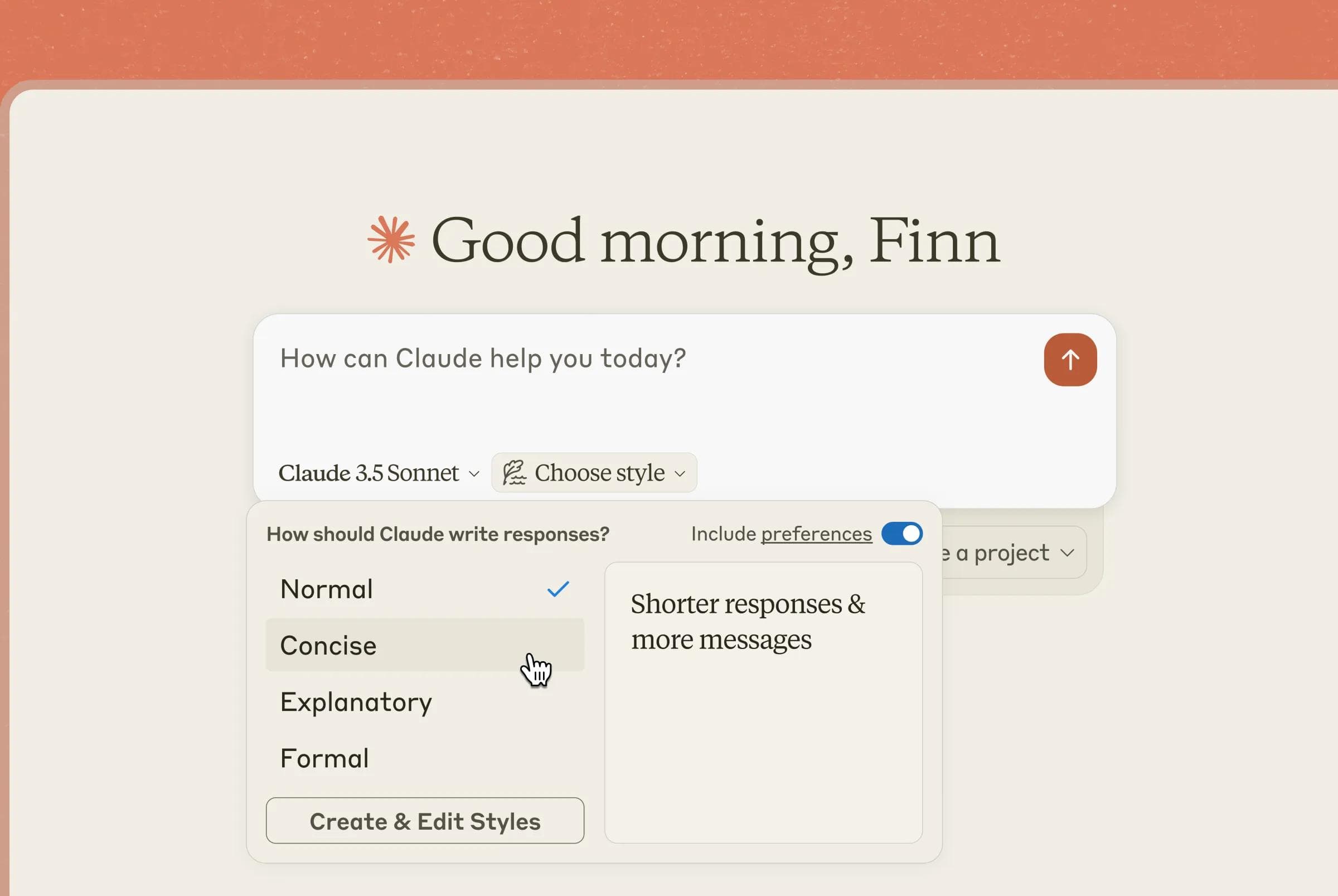
Claude stands out because of its natural, thoughtful writing style. It tends to produce content that reads more like a human wrote it, making it a strong option for long reports, analytical pieces, sensitive subject matter or any context where nuance is important.
Key strengths:
- Superior at producing balanced, structured, human-like writing
- Excellent for editing and rewriting large documents
- Large context window, so it can hold an entire report or several source documents in one conversation
Use cases:
- Whitepapers and industry reports
- Policy or compliance documents
- Brand voice refinement and style adjustments
- Editing an existing draft rather than generating from scratch, which is where it is strongest
Where it falls short:
Fewer built-in extras than ChatGPT. If you want image generation and web browsing in the same subscription, it is the weaker package, even if the prose is better.
Example workflow:
Upload a draft or paste text into Claude → request: “Rewrite this for clarity, keep the tone professional but warm, and highlight the key points more clearly.”
Claude will not only improve your writing but also preserve your meaning.
3. Gemini (Google) — Best for Google Workspace users
Price: Free tier; paid consumer plan around $20 per month; also bundled into some Workspace plans.
Gemini integrates deeply with Google’s ecosystem, making it exceptionally convenient for teams already using Google Docs, Gmail, Sheets or Slides. Because of its embedded nature, you can use Gemini without switching tools, helping you maintain a smooth workflow.
Key strengths:
- Works directly inside Google Docs and Gmail
- Good at summarising, rewriting and streamlining content
- Strong at research-adjacent tasks such as topic exploration and outline generation
Use cases:
- Drafting internal documents such as proposals or reports
- Summarising meeting notes inside Google Docs
- Crafting professional emails in Gmail
- Supporting research within Google Search
Where it falls short:
The integration is the product. If your team does not work in Google tools, the reasons to choose Gemini over the alternatives shrink considerably.
Practical example:
Highlight a messy paragraph in Google Docs → select “Help me write” → choose “Improve clarity” → Gemini rewrites it concisely.
4. Jasper AI — Best for marketing teams
Price: Paid only, indicatively around $49 to $69 per seat per month depending on plan and billing.
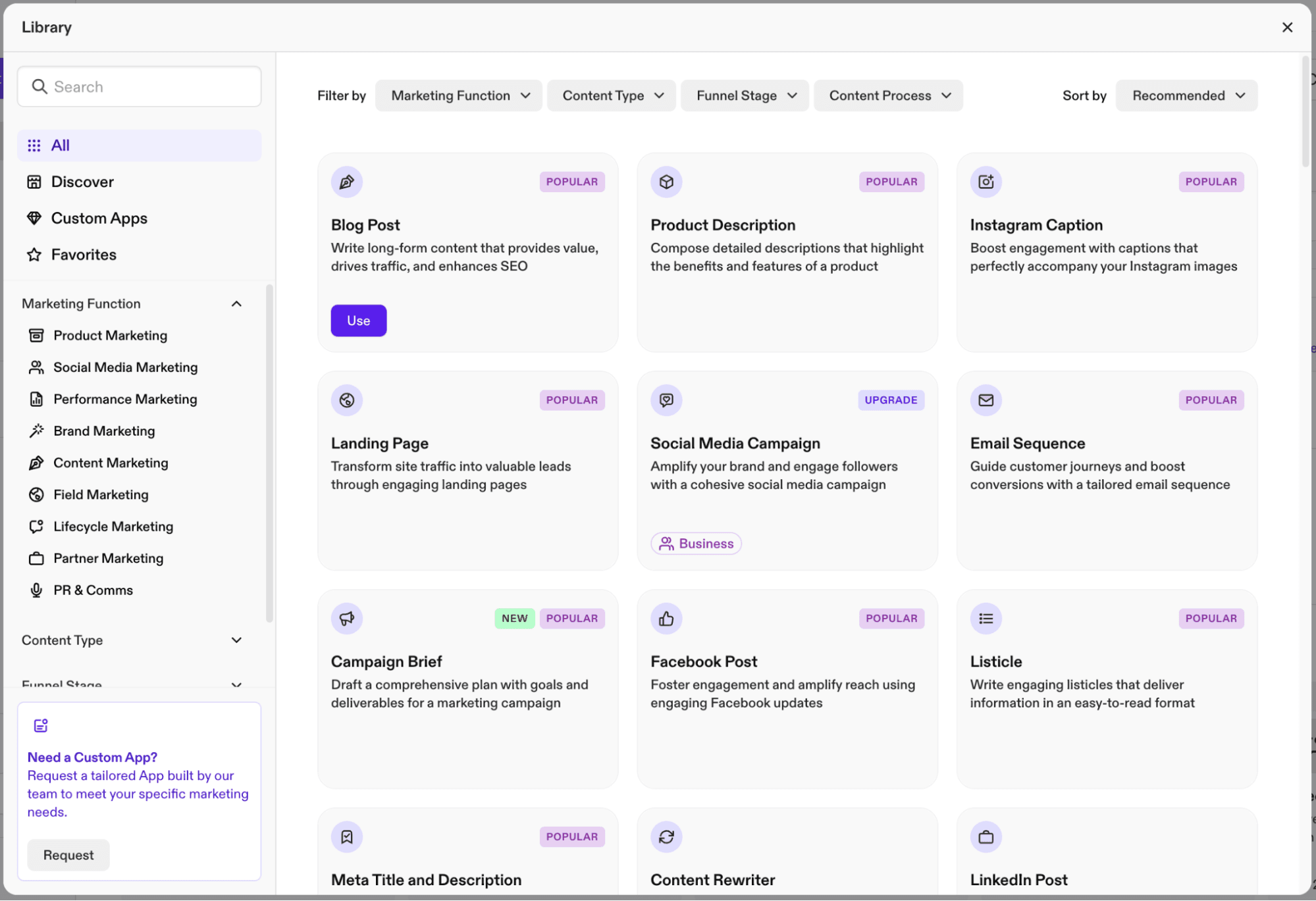
Jasper AI is designed specifically for marketing teams who need to publish brand-aligned content at scale. Unlike general-purpose tools, Jasper offers features that help businesses maintain a consistent tone across multiple platforms.
Key strengths:
- Built-in brand voice training
- Dozens of templates for ads, product descriptions, landing pages and emails
- Excellent collaboration and user management tools
Use cases:
- Creating consistent content for multi-channel campaigns
- Generating variations of ad copy for A/B testing
- Producing sales enablement content
- Ensuring your team writes in a unified brand voice
Where it falls short:
You are paying a large premium over a $20 general assistant, and the underlying writing quality is not several times better. Teams who are happy with Jasper usually justify it on reduced editing and review cycles rather than on raw output. For one or two people, it is hard to justify.
Example prompt:
“Write three variations of a friendly, high-conversion Facebook ad for a summer skincare bundle. Include a clear call-to-action.”
Jasper will provide multiple ready-to-test options.
5. Writesonic — Best for SEO-friendly content
Price: Limited free trial; paid plans indicatively in the $40 to $80 per month range depending on billing.
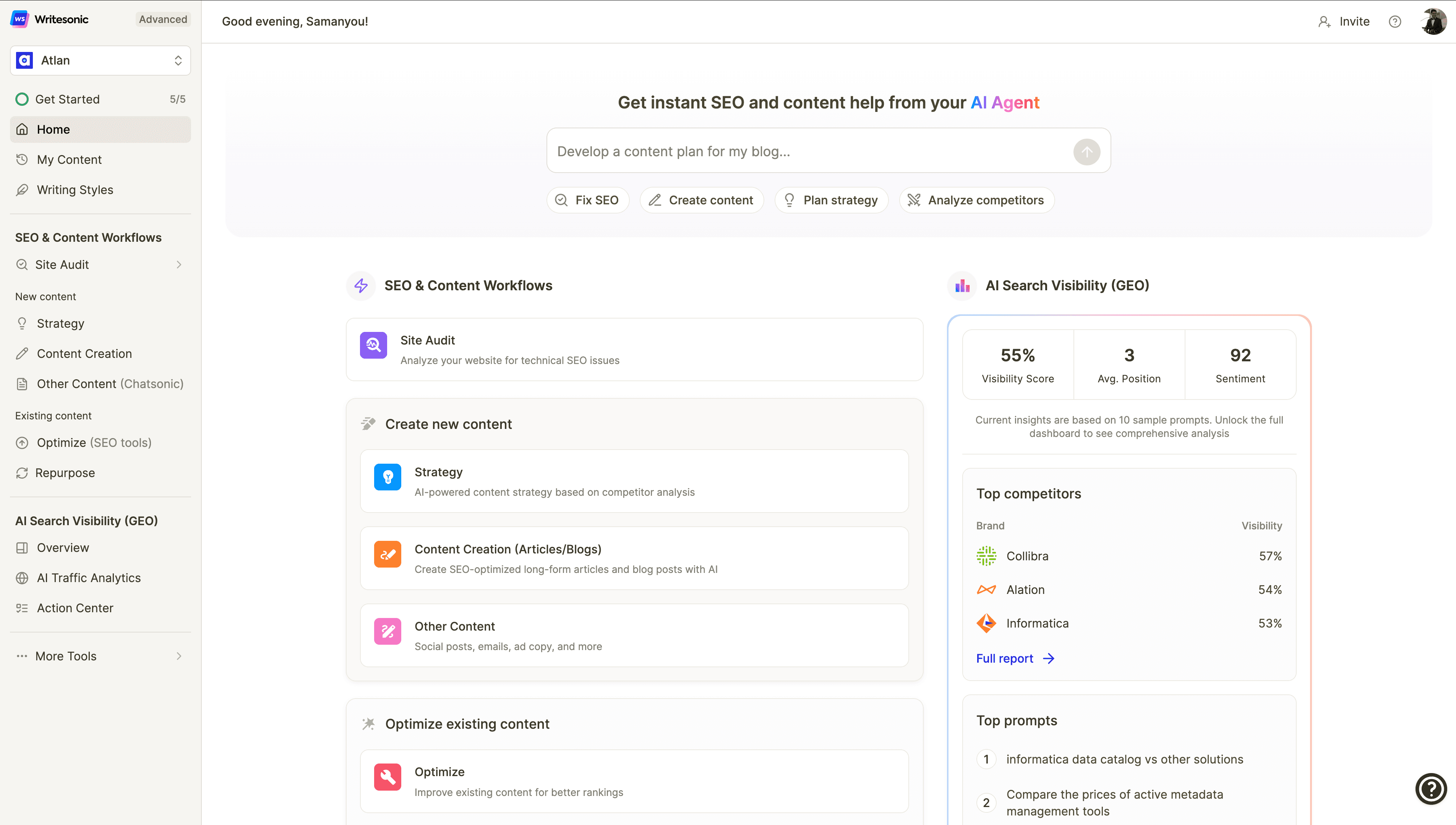
Writesonic is ideal for teams prioritising SEO performance. Its built-in SEO tools, keyword suggestions and integration with SurferSEO make it particularly beneficial for article creation.
Key strengths:
- Strong SEO-focused templates
- One-click WordPress publishing
- Keyword-driven content suggestions
Use cases:
- Producing keyword-rich blog posts
- Generating outlines, meta descriptions and title tags
- Rewriting old content to improve search ranking
- Exporting content directly to WordPress
Where it falls short:
An SEO score inside a writing tool measures conformity to a template, not quality or search intent. Treat it as a checklist, not a verdict. If you want the underlying discipline, our guide to building an SEO content outline covers what these scores are approximating.
Example workflow:
Enter your primary keyword → Writesonic offers multiple title and outline ideas → refine → generate a full draft → export to WordPress.
6. Copy.ai — Best for social media and sales content
Price: Free plan with limits; paid plans indicatively from around $49 per month.
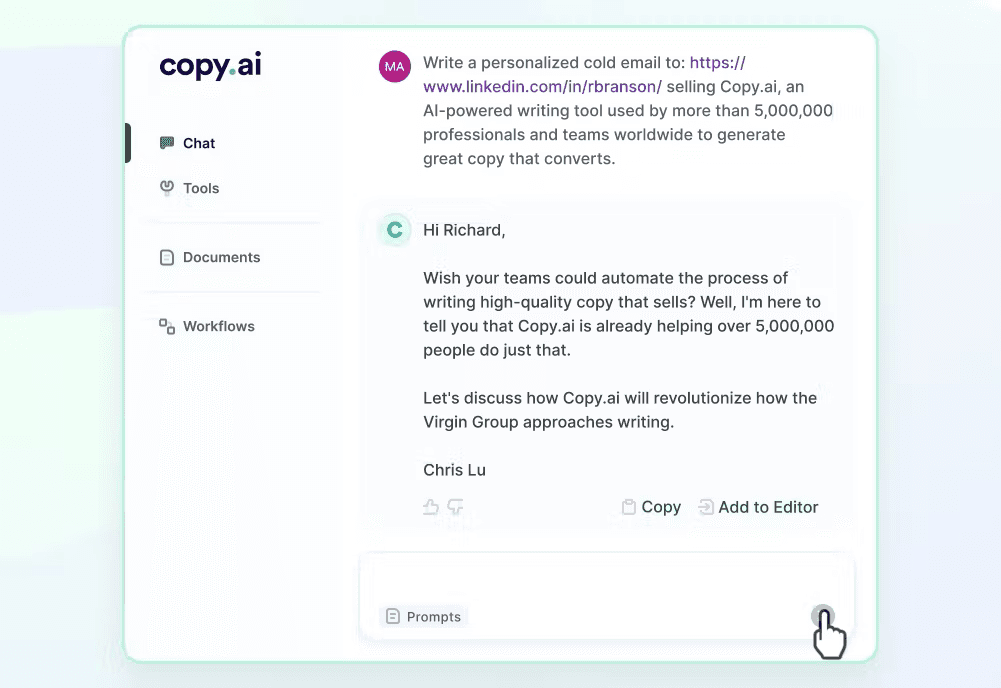
Copy.ai specialises in short, punchy content suitable for marketing and sales teams. It’s especially useful for businesses that frequently publish social posts, ads or email campaigns.
Key strengths:
- Strong templates for social media, sales emails and landing pages
- User-friendly and beginner-friendly
- Great for generating fresh ideas when you're stuck
Use cases:
- Writing LinkedIn posts, Instagram captions or TikTok scripts
- Creating email nurture sequences
- Producing slogans, branding statements and taglines
- Supporting creative brainstorming sessions
Where it falls short:
Long-form output is noticeably weaker than the general assistants. If social is genuinely your main need, compare it against a dedicated AI social media post generator before committing.
Example prompt:
“Write five energetic Instagram captions for a grand opening sale at a fitness store.”
Copy.ai returns short, catchy options ready for posting.
7. Rytr — Best budget-friendly AI text generator
Price: Free plan; paid upgrades indicatively around $9 to $29 per month.
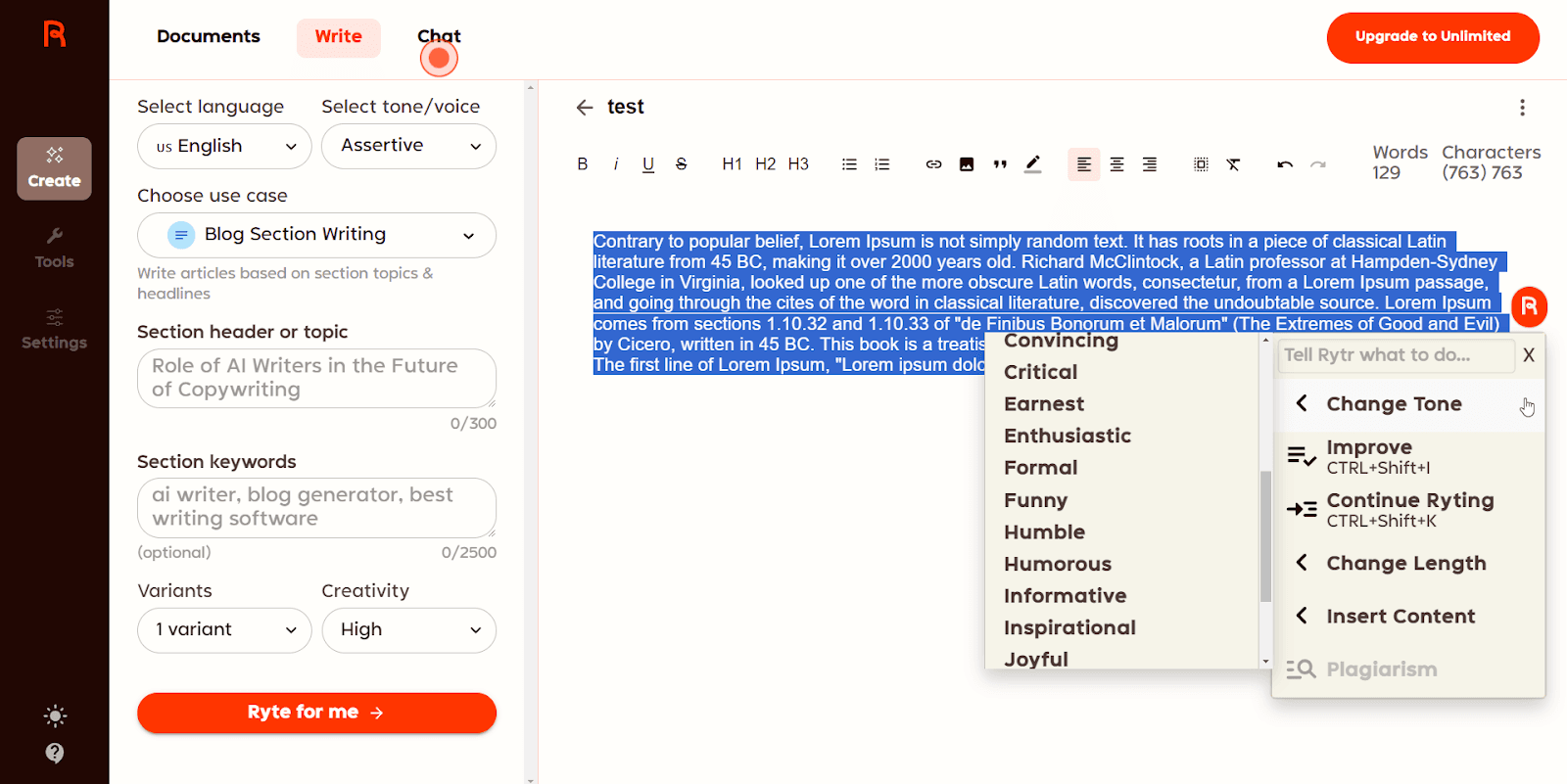
Rytr is a great option for solo entrepreneurs, freelancers or small businesses who need an affordable writing assistant. Although simpler than higher-end tools, Rytr provides reliable results for everyday writing tasks.
Key strengths:
- Extremely affordable
- Quick to learn
- Over 40 writing templates
Use cases:
- Writing short blog posts or product descriptions
- Creating email drafts and simple ads
- Generating ideas for content topics
- Rewriting or expanding existing text
Where it falls short:
Output is shallower and more formulaic than the flagship assistants. Given that ChatGPT, Claude and Gemini all have capable free tiers, the budget argument is weaker than it was a year ago.
Example workflow:
Choose a template → select tone (e.g., “friendly”) → type your topic → Rytr generates a compact but useful draft.
8. Anyword — Best for conversion-focused copy
Price: Paid plans, indicatively from around $49 per month.
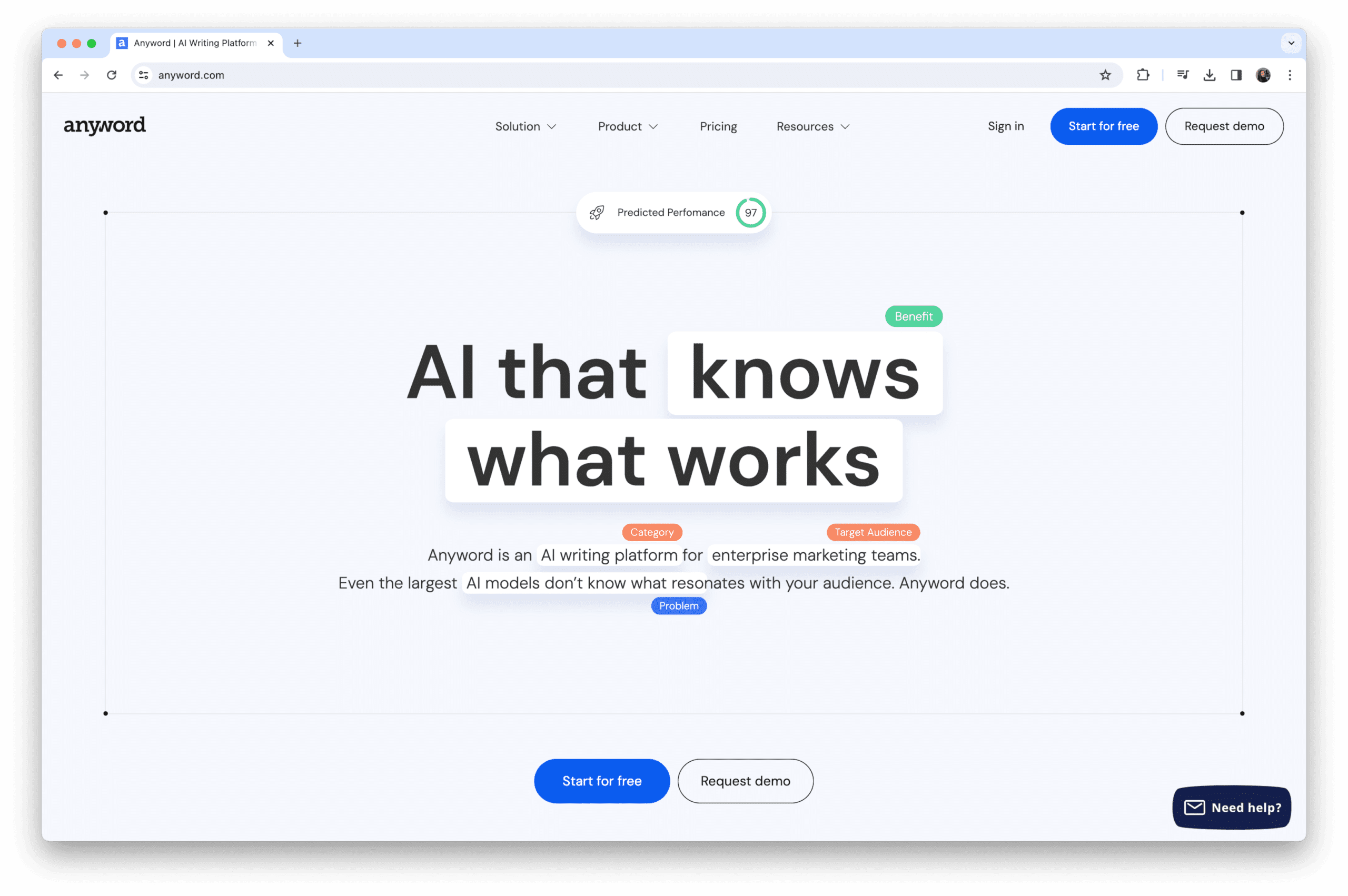
Anyword is uniquely designed for performance-driven marketing. With predictive analytics and performance scores, it helps marketers choose the most persuasive version of their text.
Key strengths:
- AI-driven performance predictions
- Multiple copy variations at once
- Strong personalisation and brand voice settings
Use cases:
- Crafting high-performing ad copy
- Improving landing page messaging
- Optimising email subject lines
- Conducting A/B testing with data-backed insights
Where it falls short:
The scores are model predictions, not measured results from your audience. They are a useful way to rank variants before testing, but they do not replace the test. For the creative side of the same job, see our roundup of the best AI ad generator options.
Example prompt:
“Generate three versions of a high-conversion headline for a free webinar on digital marketing. Include performance scores.”
Anyword ranks each version so you can choose the strongest option.
9. Sudowrite — Best for creative writing
Price: Paid plans, indicatively around $19 to $29 per month at entry level.
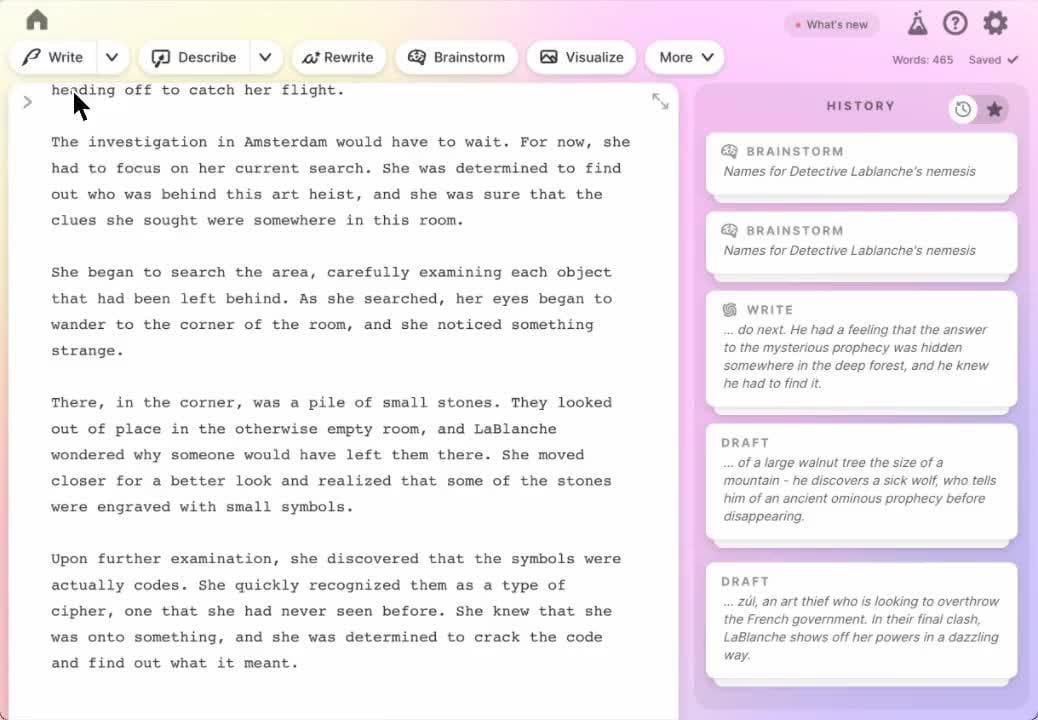
Sudowrite is designed for authors and creative professionals. Unlike tools focused on business writing, Sudowrite helps develop plots, characters and descriptive scenes.
Key strengths:
- Excellent at generating creative content
- Helpful brainstorming tools for story development
- Supports writers experiencing creative blocks
Use cases:
- Writing fiction: novels, short stories or scripts
- Developing characters, world-building and plot outlines
- Generating vivid descriptions or dialogue
- Refining story arcs
Where it falls short:
It is the wrong tool for commercial content. Included here because "AI text generator" covers creative use too, but businesses should skip it.
Example workflow:
Paste a paragraph from your story → ask:
“Expand this scene, add more sensory detail and keep a mysterious tone.”
Sudowrite transforms it into a richer, more immersive passage.
10. Notion AI — Best for productivity and note-taking
Price: Paid add-on to a Notion workspace, charged per member.
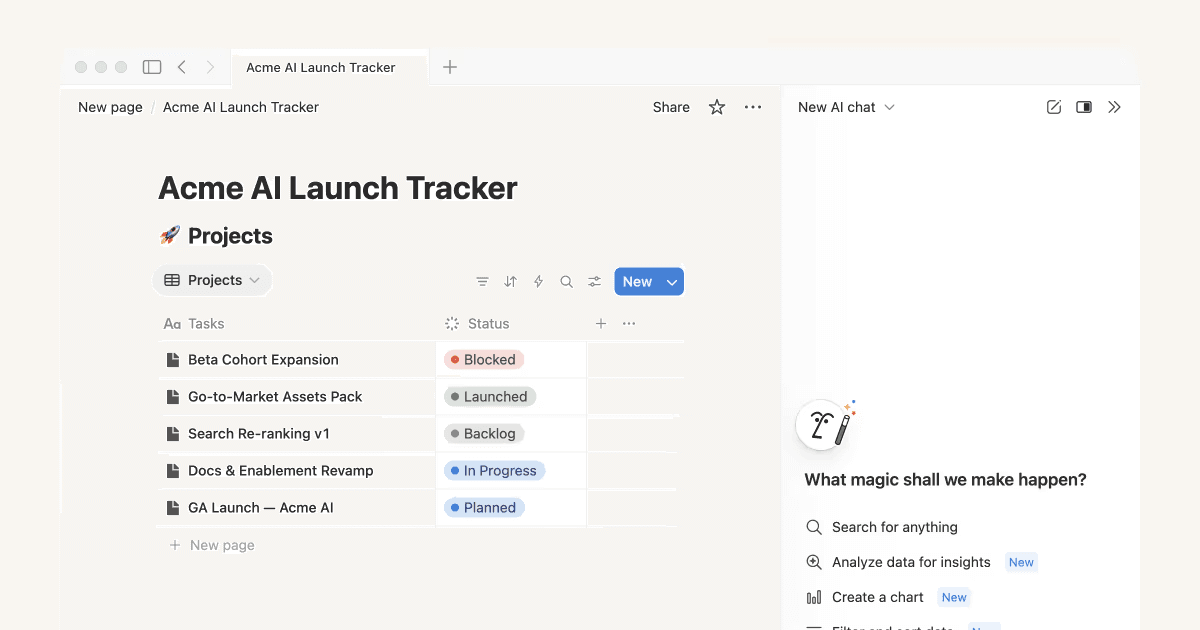
Notion AI focuses on enhancing productivity for teams that rely heavily on Notion for documentation or collaboration. Instead of switching tools, you can write, organise and edit content all in one place.
Key strengths:
- Built directly into your knowledge base
- Excellent for summaries, task creation and content clean-up
- Helps turn rough notes into polished documents
Use cases:
- Summarising meeting notes
- Creating project briefs or internal guides
- Drafting content inside your workspace
- Rewriting text to improve clarity or tone
Where it falls short:
Charged per member across your whole workspace, which gets expensive if only a few people will use it. It is also not a serious option for external-facing marketing content.
Example workflow:
Highlight messy notes → choose “Summarise” → Notion produces a concise, well-structured overview.
What Does "GPT" Mean in an AI Text Generator?
People often search for an "AI text generator GPT", so it is worth clearing up.
GPT stands for Generative Pre-trained Transformer. It is the name of the model family developed by OpenAI, and it is what powers ChatGPT. "Transformer" refers to the underlying neural network architecture, "pre-trained" means the model learned from a large body of text before you ever used it, and "generative" means it produces new text rather than selecting from stored answers.
Three things follow:
- Not every AI text generator is GPT-based. Claude uses Anthropic's own models and Gemini uses Google's. All three are transformer models, but only OpenAI's are called GPT.
- Many third-party tools are GPT-based underneath. Several writing platforms build their interface on top of OpenAI's API, which is why output can feel similar across tools that look very different. If you are paying for one of these, you are paying for the workflow layer, not for exclusive model access.
- Version numbers change constantly. Model names move fast enough that any specific version cited in an article dates within months. Check which model your plan currently includes rather than relying on a number you read somewhere.
How to Choose the Right AI Text Generator
Choosing the right AI text generator can significantly influence the quality and efficiency of your content production. While the market offers many strong tools, the best choice depends on your goals, workflow, and expectations.
To help guide your decision-making, we’ve expanded each consideration into practical, easy-to-follow sections.
1. Clarify What You Want to Create
Before deciding on any tool, it is essential to determine the type of content you intend to produce. Different AI text generators excel in different areas, so understanding your needs helps you narrow down the options quickly and effectively.
For instance, if you frequently produce long-form blog posts, you will benefit from tools that offer strong reasoning, structured writing and detailed content generation capabilities. In contrast, if your work revolves around social media or short-form copy, you may need a tool that prioritises creativity and punchy messaging.

Examples of content types
- Long-form articles or guides → ChatGPT, Claude
- SEO-optimised content → Writesonic
- Marketing campaigns and ads → Jasper AI, Anyword
- Social media posts or sales messages → Copy.ai
- Creative writing or storytelling → Sudowrite
- Internal notes, summaries and productivity tasks → Notion AI
Tip
Write down the top three content formats you produce most often. Then match them with the AI tools that specialise in those areas. This simple step prevents you from choosing a tool with impressive features you may never actually use.
2. Set Your Budget
Once you know what you want to create, the next step is to determine how much you are willing to invest. AI text generators come in a wide range of price points, from completely free tools to enterprise-level subscriptions.
Free versions are excellent for personal use or testing capabilities; however, paid plans generally offer more consistent performance, stronger features and faster processing, which is crucial for businesses.
Things to consider
- Frequency of use: Will you generate content weekly or daily?
- Volume: Do you need multiple drafts, variations or high-output workflows?
- Team access: Do multiple team members need seats or collaboration features?
Budget examples
- Tight budget / beginner: Rytr, free plans of ChatGPT or Gemini
- Mid-range budget: Writesonic, Copy.ai
- Premium budget: Jasper, Anyword, Claude Pro
Tip
Start with a free plan where available. If you notice yourself hitting usage limits or requiring more advanced features, it’s a strong sign that upgrading will be worthwhile.
3. Check Tool Integrations with Your Current Workflow
It is equally important to consider how well an AI tool will fit into your existing workflow. Smooth integration ensures that AI enhances your productivity rather than interrupting your processes.
For example, tools such as Gemini or Notion AI work directly within your workspace applications, meaning you do not have to switch platforms to generate or refine content. This saves time and reduces friction, especially for larger teams.

Examples of useful integrations
- Google Workspace → Gemini
- Notion → Notion AI
- WordPress → Writesonic
- Team collaboration platforms → Jasper AI
- APIs for custom automation → ChatGPT, Claude
Tip
Evaluate the tools you already use daily. If your team lives in Google Docs, choosing a Google-integrated AI tool will feel seamless. On the other hand, if you manage content in WordPress, a tool with one-click export or publishing capabilities can significantly streamline your workflow.
4. Consider Brand Consistency and Voice Control
Finally, maintaining a consistent brand voice is essential for companies producing content at scale. While many AI tools can write in different tones, a smaller number offer proper brand voice training or persistent tone settings. If your business requires content that aligns with established messaging, choosing a tool with strong voice control is vital.
Tools that excel at brand consistency
- Jasper AI: Offers detailed brand voice training where you upload examples of your content
- Anyword: Includes personalisation and tone models tailored to your brand
- ChatGPT (paid tiers): Can store system instructions and maintain tone across multiple interactions
Why brand consistency matters
- Builds trust with your audience
- Reinforces identity across channels
- Improves recognition in competitive markets
- Ensures multiple team members produce aligned content
Example use case
You could upload your brand’s email newsletters into Jasper and train the system to “Learn this voice.”
After this, all outputs, from website copy to Instagram captions, will align closely with your established tone. This becomes especially helpful when different team members handle content creation.
How to Get Better Output From Any AI Text Generator
The gap between a useless draft and a usable one is almost always the prompt. Five habits make the biggest difference.
- Give it a role and an audience. "You are writing for operations managers at mid-sized manufacturers" changes the vocabulary, examples and assumed knowledge immediately.
- Supply the source material. Paste your notes, data, transcript or existing page. A model working from your material invents far less than one working from memory.
- Show, do not describe, the tone. Two paragraphs of your existing writing outperform any adjective you could choose.
- Specify the structure and length. Number of sections, approximate word count, whether you want tables, whether you want a conclusion.
- State the exclusions. Banned words, banned phrasings, no clichés, no unverifiable claims. This is often the highest-leverage line in the whole prompt.
Then iterate rather than regenerate. Asking for a specific fix to a specific paragraph produces better results than rerunning the whole prompt and hoping. If you regularly need to make output sound less machine-written, our comparison of AI to human text converter tools and our roundup of AI paraphrasing tools cover that step specifically.
Limits and Risks Worth Knowing
- Fabricated facts. Every tool here will occasionally state something false with complete confidence, including invented statistics, misattributed quotes and non-existent sources. Verify anything factual before publishing.
- Stale knowledge. Models have a training cut-off. Unless the tool is actively searching the web, its picture of recent events, prices and product features may be a year or more out of date.
- AI detection is unreliable in both directions. Detectors produce false positives on human writing and miss edited AI writing. Do not use a detector score as a quality gate, and be wary of anyone selling one as proof.
- Sameness at scale. If your competitors use the same tools with the same prompts, you converge on the same article. Differentiation now comes from original data, first-hand experience and opinion, which is exactly what a model cannot supply.
- Confidentiality. Check the data policy of any tool before pasting client material, contracts or unreleased plans into it.
Does Google Penalise AI-Generated Text?
No, not for being AI-generated. Google's position has been consistent: it rewards helpful, original, people-first content regardless of how it was produced, and it does not list AI generation as a prohibited practice.
What is prohibited is scaled content abuse, defined as generating many pages primarily to manipulate search rankings rather than to help users. Google's own wording makes the production method explicitly irrelevant: the policy applies whether content is produced by automation, by humans, or by a combination of both. A content farm with fifty human writers breaks the same rule as one publishing a thousand unreviewed AI pages.
The practical implications for anyone using an AI text generator:
- AI-assisted content with genuine editorial oversight is entirely within the guidelines
- Volume without value is the red line, not the tool
- Quality is now assessed continuously as part of core ranking, so there is no safe window for thin content
- A named author, a fact check and a real review step before publishing are the clearest compliance signals
Our E-E-A-T for AI content guide covers how to keep authority signals intact when AI is part of your workflow, and our May 2026 SEO update looked at what recent core updates did to thin, generic content across the accounts we manage.
Empower Your Team with the Right AI Tools
An AI text generator can significantly enhance your content production process. Whether you want to streamline SEO work, simplify internal communication or scale marketing output, today’s tools offer powerful support.
At Saigon Digital, we believe that AI should enhance creativity rather than replace it. When implemented wisely, these tools help you produce more purposeful, user-centric and impactful digital content.
If you would like help integrating AI into your content or SEO workflow, our team is ready to support you with forward-thinking solutions tailored to your goals.
Get in touch with us today!
Frequently Asked Questions
1. What is the best AI text generator?
For general use, ChatGPT is the strongest all-rounder because it combines good writing with the widest feature set at a standard price point. Claude is the better choice if long-form prose quality is your priority, and Gemini is the better choice if your team works inside Google Workspace. For marketing teams needing brand consistency across several writers, Jasper is the usual pick.
2. Is there a good free AI text generator?
Yes. ChatGPT, Claude and Gemini all have free tiers that use capable models, limited mainly by how many messages you can send. For occasional writing they are usually sufficient. Rytr also has a free plan if you want a simpler, template-driven interface.
3. What does GPT mean?
Generative Pre-trained Transformer. It is OpenAI's model family and the technology behind ChatGPT. Not all AI text generators use GPT models, though many third-party writing tools are built on OpenAI's API.
4. Can AI text generators replace writers?
Not for anything that needs accuracy, judgement or first-hand experience. They compress drafting time substantially, which changes what a writer spends their day on, but the work that differentiates content, original data, real examples and a point of view, is precisely what a model cannot produce.
5. Can AI-generated text be detected?
Unreliably. Detection tools produce false positives on human writing and fail to flag edited AI writing, so their scores are not evidence either way. The more useful question is whether the content is accurate, original and genuinely useful, which is what search engines actually assess.
6. Which AI text generator is best for SEO content?
Writesonic is built for it, with keyword tooling and publishing integrations. That said, a general assistant working from a properly researched brief usually produces better SEO content than a specialist tool working from a keyword alone. The brief matters more than the tool.
7. Do I need more than one AI text generator?
Many teams end up with two: a general assistant for drafting and research, and a specialist tool for a specific recurring job such as ads or social. Start with one, and only add a second when you can name the task it is for.
8. Is it safe to paste client work into an AI text generator?
Check the data policy first. Business and enterprise plans generally commit to not using your inputs for training; free consumer tiers often do not. If you handle client material under NDA, this is a contractual question rather than a preference.