As digital advertising becomes more competitive and data-driven, marketers are under increasing pressure to produce high-performing ads at speed and scale. This is where AI-powered advertising tools have moved from being a “nice to have” to an essential part of modern marketing stacks.
In 2026, the best AI ad generator is no longer just about writing copy. It is about understanding audiences, adapting creatives across channels, optimising performance in real time, and helping brands make smarter decisions with less manual effort.
At Saigon Digital, we work with ambitious brands that want measurable growth, not gimmicks. This guide explores the 7 best AI ad generators for marketing in 2026, highlighting how they work, who they are best for, and how marketers can use them effectively.
What Is an AI Ad Generator?
An AI ad generator uses machine learning and natural language processing to create advertising assets such as:
- Ad copy for Google, Meta, LinkedIn, TikTok and more
- Headlines and descriptions optimised for clicks or conversions
- Visual creatives and short-form video scripts
- Variations tailored to different audiences and platforms
>>> Read more: How to Create Free AI Videos (Top 5 Tools)
The best tools go further by analysing performance data, learning what works, and improving future outputs automatically.
For marketing teams, this means:
- Faster campaign launches
- More creative testing without extra cost
- Better alignment between messaging, audience intent, and performance
How We Evaluated the Best AI Ad Generators for 2026
To identify the best AI ad generator solutions, we focused on tools that deliver real marketing value, not just automation for automation’s sake. Our criteria included:
- Output quality and brand control
- Channel-specific optimisation
- Ease of use for marketing teams
- Integration with ad platforms and workflows
- Scalability for growing brands
1. AdCreative.ai – Best for Data-Driven Visual Ads
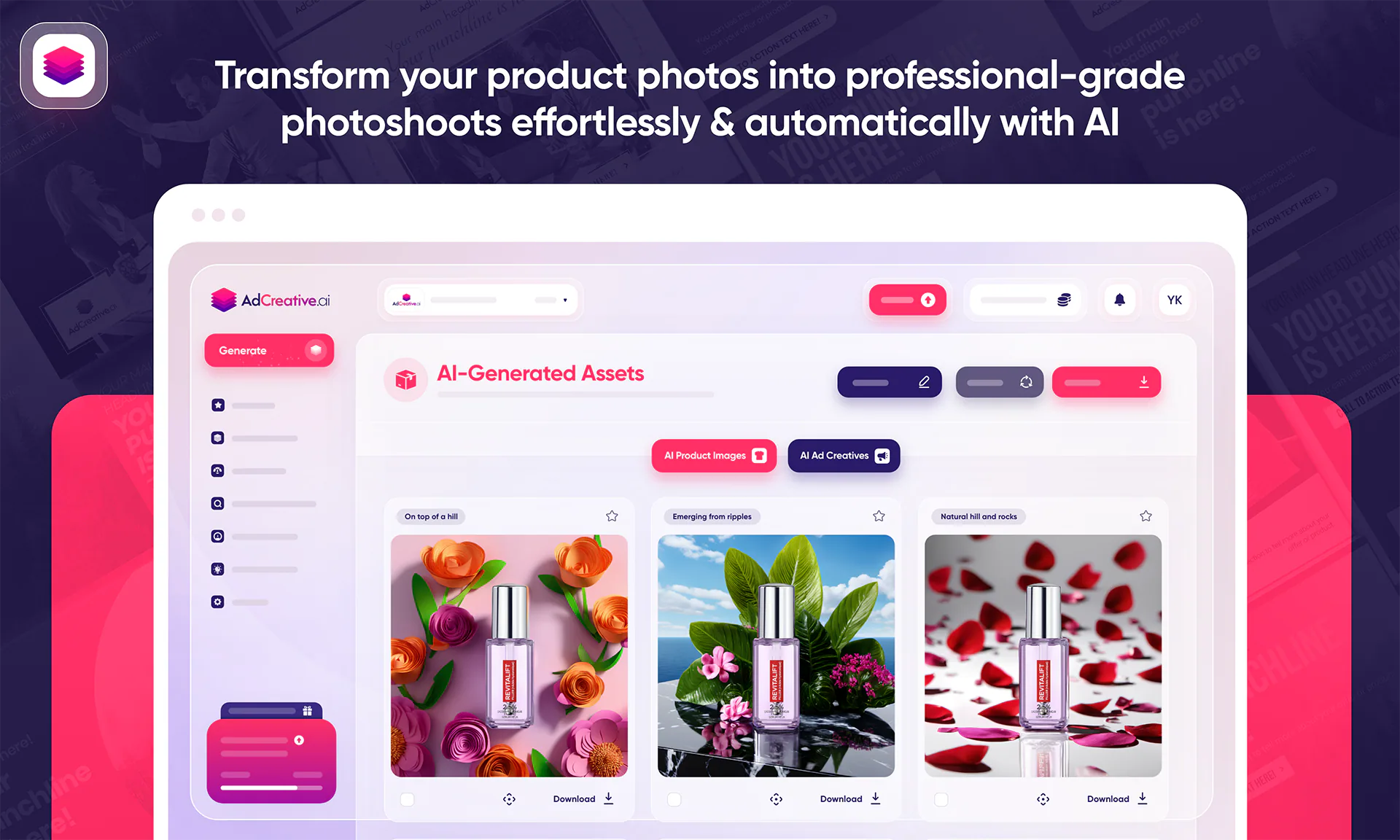
AdCreative.ai is one of the strongest contenders for brands seeking the best AI ad generator for visual-led campaigns. Unlike tools that focus primarily on text, AdCreative.ai combines copy, design, and performance data to produce ads that are built with conversion in mind.
As a result, it is particularly effective for marketers who rely on paid social and display advertising to drive measurable outcomes.
Why AdCreative.ai Excels at Performance-Focused Creatives
At its core, AdCreative.ai uses historical ad performance data and machine learning to guide every creative decision. Rather than generating random designs, the platform analyses what has worked previously across similar industries, audiences, and platforms.
Consequently, the ads it produces are not only visually appealing but also strategically structured to encourage clicks and conversions.
Key strengths include:
- AI-generated images and copy optimised for performance
- Automatic creation of multiple ad variations for testing
- Creative layouts informed by real advertising data
This data-first approach makes AdCreative.ai especially valuable for marketers who want to reduce guesswork and focus on results.
How to Use AdCreative.ai Step by Step
Using AdCreative.ai is relatively straightforward, even for teams without in-house designers. To get the most value from the platform, follow a structured approach:
- Define your campaign goal: Start by selecting whether your objective is conversions, traffic, or brand awareness. This ensures the AI prioritises the right creative elements.
- Upload brand assets: Add your logo, brand colours, fonts, and product images. This helps the AI maintain visual consistency and brand recognition across all outputs.
- Select your platform: Choose where the ads will run, such as Facebook, Instagram, Google Display, or LinkedIn. The tool automatically adapts dimensions and layouts.
- Generate multiple creatives: AdCreative.ai will produce several variations in one go, allowing you to test different visuals, headlines, and calls to action.
- Launch, test, and optimise: Use the top-performing creatives in your campaigns and replace underperforming ones quickly with new AI-generated options.
This process enables faster campaign deployment while supporting ongoing optimisation.
Practical Example: eCommerce Paid Social Campaign
Consider an eCommerce brand launching a limited-time promotion. Instead of manually designing dozens of ads, the marketing team can use AdCreative.ai to generate multiple creatives in minutes.
For example:
- One ad may highlight a discount percentage
- Another focuses on lifestyle imagery
- A third emphasises urgency with time-sensitive messaging
These variations can then be tested simultaneously on Meta Ads. Over time, performance data reveals which creative direction drives the highest return on ad spend, allowing the team to scale winners confidently.
Best Use Cases for AdCreative.ai
AdCreative.ai is particularly effective in scenarios where speed, scale, and performance are critical. It is best suited for:
- eCommerce brands running high-volume paid social campaigns
- Marketing teams managing multiple product lines or promotions
- Performance marketers who rely on A/B testing and iteration
- Businesses without large design resources
By automating creative production while remaining grounded in data, AdCreative.ai enables teams to focus more on strategy and optimisation rather than repetitive design work.
2. Jasper – Best AI Ad Generator for Brand-Safe Copy
Jasper has earned a reputation as one of the most reliable AI tools for generating advertising copy that is both high quality and brand-consistent.
While many AI copy tools focus purely on speed, Jasper goes further by letting marketing teams embed their brand voice directly into the output. In doing so, it consistently produces ad copy that feels human, maintains brand integrity, and aligns with strategic goals, a key reason many marketers consider it the best AI ad generator for copy sensitive to tone and messaging.
Why Jasper Stands Out for Brand Safety and Tone
At its core, Jasper allows users to define specific parameters about brand identity, preferred language, and writing style. Instead of generic ad copy, you get messaging that reflects your brand guidelines every time. Consequently, this reduces the need to rewrite or heavily edit the output, saving time and ensuring consistency across campaigns and channels.
Specifically, Jasper helps marketers:
- Train the AI on existing brand voice and collateral
- Generate tone-controlled ad copy for different platforms
- Reduce discrepancies between short-form ads and long-form brand messaging
This brand-centric approach makes Jasper especially valuable for companies where language and tone are strategic assets, such as B2B, SaaS, finance, and luxury consumer brands.
How to Use Jasper for Brand-Safe Ad Copy: A Practical Guide
To achieve the best results with Jasper, the key is in how you set up and guide the AI. Here’s a step-by-step approach:
1. Define your brand voice: Upload or describe your brand guidelines, including preferred tone (e.g., professional, friendly, authoritative), key messaging points, and audience preferences.
2. Select the advertising format: Choose the type of ad copy you want to generate, for example, Google search ads, LinkedIn sponsored content, or Meta Headlines.
3. Provide context and inputs: Include details such as:
- Product or service name
- Unique selling points
- Target audience segment
- Call to action you want to emphasise
4. Generate copy variations: Ask Jasper to create multiple options so you can select the strongest candidates or combine elements you like.
5. Refine and adapt for channels: Edit or tailor the best versions for individual ad platforms if needed, although, often, strong outputs require minimal adjustment.
By structuring the input and guiding the AI with clear brand parameters, you consistently receive professionally written, brand-aligned ad copy.
Practical Example: B2B LinkedIn Campaign
Imagine your brand is launching a new B2B product targeting senior executives. LinkedIn ads demand clarity, trustworthiness, and a professional tone. By inputting precise messaging details, such as benefits like “decision-ready insights” and “enterprise-level security”, Jasper generates multiple ad copy variations that are polished and on brand.
For instance:
- Option A: “Transform your leadership decisions with real-time insights designed for growth-minded teams. Try our enterprise solution today.”
- Option B: “Empower your organisation with insights you can trust, secure, scalable, and built for executives. Discover more now.”
Both options use professional language and reinforce value, minimising the effort needed from marketers to achieve high-quality output.
Best Use Cases for Jasper
Jasper is especially effective for teams and brands that:
- Need consistent brand voice across paid media
- Publish ads across multiple platforms (Google, LinkedIn, Twitter, etc.)
- Want to reduce manual editing and approval cycles
- Value copy quality as part of brand experience
In scenarios where messaging must be precise, clear, and aligned with broader brand communication, Jasper consistently delivers better outcomes than generic SEO AI tools.
3. Copy.ai – Best for Speed and Ideation
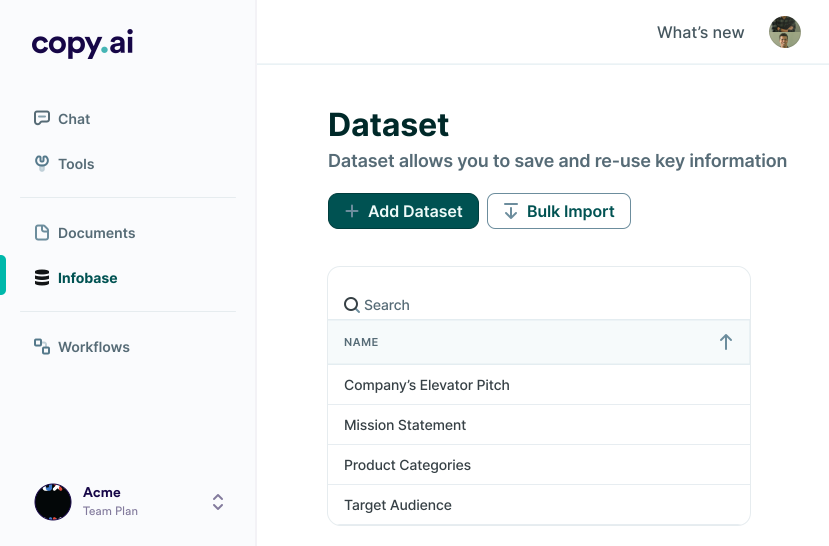
When the priority is fast idea generation and creative variation, Copy.ai shines as one of the most efficient tools in the market. While some AI ad generators focus on deep customisation or predictive performance, Copy.ai excels at quickly sparking ideas and producing a large volume of ad copy in a short amount of time.
For marketers looking to jumpstart campaigns, brainstorm messaging, or test multiple hooks without delay, this platform is often considered the best AI ad generator for speed and ideation.
Why Copy.ai Is Ideal for Rapid Creative Output
Copy.ai is designed to produce quick, diverse outputs with minimal input. This makes it especially useful during the early stages of campaign planning when you are experimenting with different messaging angles or audience hooks. Rather than spending hours crafting every single variation manually, Copy.ai generates multiple copy options instantly, saving time and accelerating your marketing workflow.
Here’s what makes it effective:
- Quick generation of multiple ad copy options
- Minimal setup required to produce ideas
- Useful for brainstorming and expanding creative possibilities
Because of this low friction approach, Copy.ai allows marketers to stay agile and responsive, especially in fast-moving industries where campaign timelines are tight.
Step-by-Step Guide to Using Copy.ai for Ad Ideation
To use Copy.ai effectively, it helps to approach it as a creative partner rather than a final editor. Follow these steps to maximise output while maintaining quality:
1. Clarify your campaign objective: Start by defining what you want your ad to achieve. For example, drive traffic, increase sign-ups, or boost product awareness. This provides context to guide the AI.
2. Input a brief but clear prompt: Provide key details such as:
- Product or service name
- Target audience
- Value propositions
- Desired emotion or action
For example:“Generate 10 Facebook ad headlines for a new productivity app targeting remote workers.”
3. Generate multiple variations: Ask Copy.ai to produce a wide range of options. The strength of this tool lies in volume, so don’t hesitate to generate 15–20 ideas at once.
4. Review and short-list: Quickly review the outputs and identify the strongest candidates. Look for ideas that resonate with your audience, align with your goals, and fit your brand tone.
5. Refine selected options: Edit the best variations to match your brand voice more closely or to optimise them for specific platforms like Instagram, LinkedIn or Google Ads.
This process transforms Copy.ai into a fast ideation engine that fuels creativity and helps teams avoid writer’s block.
Practical Example: Social Media Hooks for a New Service
Imagine your team is preparing a campaign to promote a new online course. Instead of debating headlines in meetings, you can use Copy.ai to instantly generate options such as:
- “Unlock Your Full Potential, Join Our Exclusive Online Course Today”
- “Learn at Your Pace. Grow on Your Time.”
- “Ready to Level Up? Start Your Journey Now!”
After reviewing these, you might select the strongest headlines and tailor them slightly, for example, adding specifics like “25% Early Bird Discount” to improve relevance and urgency.
When to Use Copy.ai in Your Workflow
Copy.ai works best in scenarios where you need:
- Rapid ideation across multiple ad formats
- Brainstorming sessions with creative teams
- Quick turnaround campaigns
- Initial drafts for further refinement
It is especially useful for smaller marketing teams or solo marketers who need to produce ad copy at speed without sacrificing variety and imagination.
What Copy.ai Isn’t Best Suited For
Although Copy.ai is excellent for generating ideas quickly, it may require more manual refinement than some other tools when brand precision and advanced optimisation are necessary. Therefore:
- If you need predictive performance scoring, another tool may be more appropriate.
- If brand voice consistency is critical, you may need to review outputs more carefully.
Nonetheless, Copy.ai remains a powerful starting point when speed and creative range matter most.
4. Anyword – Best AI Ad Generator for Predictive Performance
While many AI tools focus on generating ad copy or visuals, Anyword distinguishes itself with a performance-focused approach. Rather than simply producing options, it predicts how well each version is likely to perform, helping marketers make smarter decisions before spending ad budget. For teams that prioritise outcomes over output volume, Anyword is frequently regarded as the best AI ad generator for predictive performance in 2026.
This tool combines large language models with real advertising performance data. In practice, this means that it doesn’t just write copy, it estimates how each headline, description or call-to-action could influence key metrics such as click-through rate (CTR) or conversions.
Why Anyword Excels in Predicting Ad Performance
What truly sets Anyword apart is its ability to score ad copy based on predicted outcomes. After generating text, the platform provides a performance forecast that helps you prioritise high-impact variations. As a result, you can avoid guesswork and reduce wasted budget on underperforming ads.
Specifically, Anyword helps you:
- Generate tailored ad copy variations quickly
- See performance scores for each option
- Prioritise and select the most promising language before launch
With these predictive insights, marketers spend less time testing blindly and more time acting on data-informed choices.
Step-by-Step Guide to Using Anyword
To get the most out of Anyword, it helps to follow a structured workflow. Below is a simple and effective process:
1. Start with a clear objective: Before opening the tool, define what success looks like, for example:
- Higher CTR on Meta campaigns
- More conversions in a Google Search campaign
- Improved lead quality from LinkedIn ads
2. Input your core messaging elements: Enter key details such as:
- Product or service name
- Target audience
- Unique selling points (USPs)
- Desired outcome (e.g., sign-ups, purchases)
The more context you provide, the better the AI can tailor its suggestions.
3. Generate ad copy variations: Ask Anyword to produce multiple options, from headlines to full ad descriptions.
4. Review performance predictions: Each suggestion comes with a score indicating its expected performance. This may be described in terms of:
- Click-through likelihood
- Conversion potential
- Engagement forecasts
Use these scores to prioritise options that align with your campaign goals.
5. Select, refine and deploy: Choose the top-scoring variations and refine them if needed. Then integrate those directly into your ad campaigns.
This discipline helps you maximise efficiency and prioritise high-impact creative from the start.
Practical Example: Google Search Ads
Imagine you’re launching a new project management tool and want to create Google Search ads that drive free trials. Using Anyword:
- First, input context like: “Project management software for remote teams with real-time collaboration.”
- Generate ten headline options.
- Anyword predicts how each headline might perform based on historical data and language effectiveness.
For example, you might see two high-scoring headlines such as:
- “Collaborate Seamlessly, Try Our Project Tool Free Today” (Performance score: 8.7)
- “Simplify Remote Work, Get Your Free Project Tool Trial” (Performance score: 8.4)
By comparing scores, you can confidently choose the headline most likely to deliver results rather than guessing.
Best Use Cases for Anyword
Anyword is especially valuable when:
- You want data-supported choices before spending ad budget
- You’re optimising paid campaigns and need performance edge
- You are running multiple ad variations and want to prioritise intelligently
- You are testing messaging with large audiences
This tool is particularly effective for teams with measurable goals, whether increasing conversion rates, lowering cost per acquisition (CPA), or optimising engagement.
How Anyword Fits into Modern Marketing Workflows
Rather than replacing human expertise, Anyword enhances it. By combining AI’s speed with predicted outcomes, you can:
- Reduce manual A/B testing cycles
- Focus creative energy on high-impact messaging
- Align copy decisions with strategic performance targets
This makes Anyword a practical choice for performance-driven teams that want both scale and confidence in their creative decisions.
5. Pencil – Best for AI-Generated Video Ads
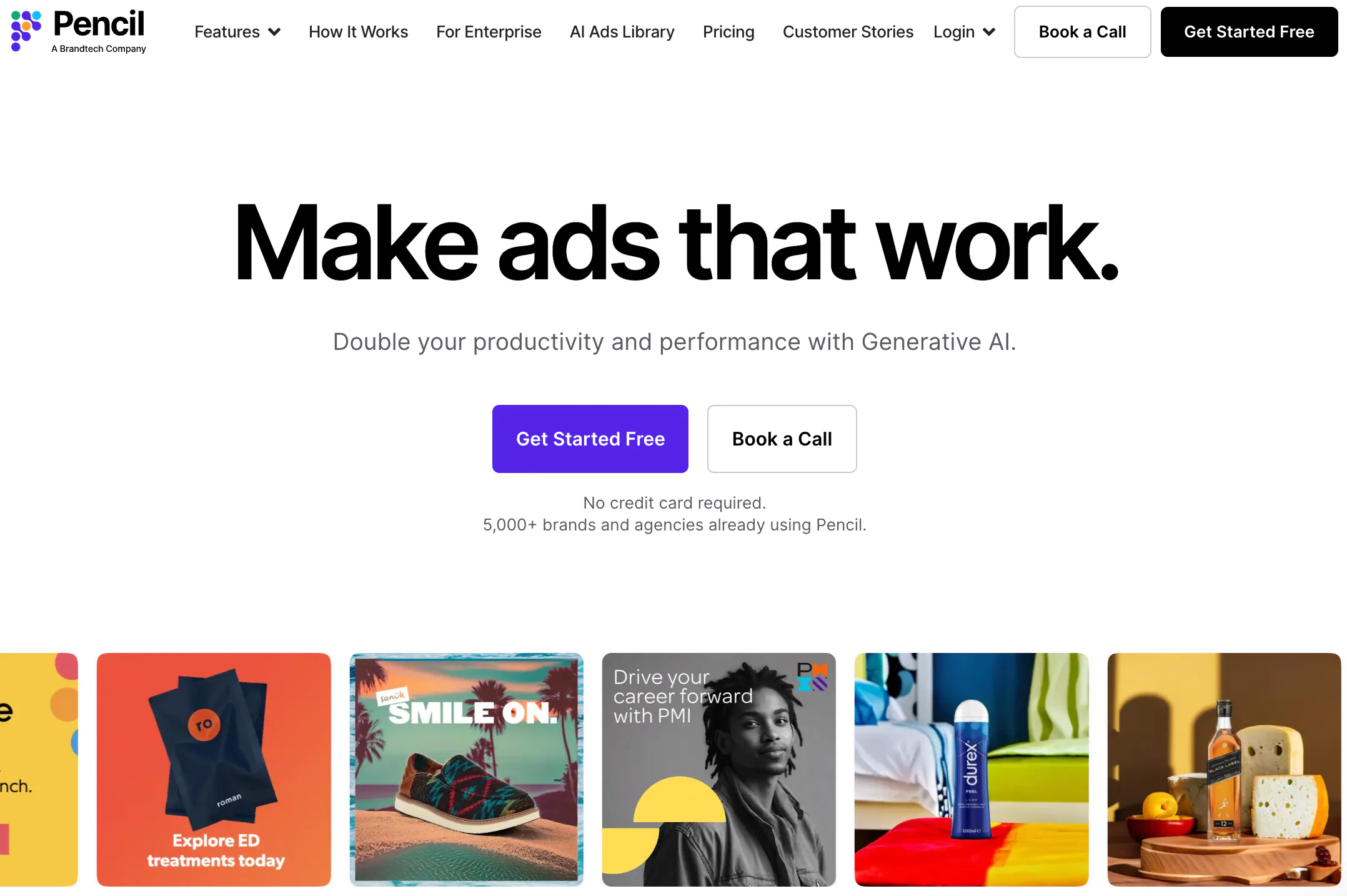
In today’s digital landscape, video has become one of the most effective forms of advertising. Short-form video formats dominate platforms like TikTok, Instagram Reels and Meta feeds, capturing attention and delivering strong engagement. Pencil stands out as one of the best AI ad generators specifically for video, not just creating engaging visuals, but doing so in a way that’s grounded in real performance and creative strategy.
Rather than treating video creation as a simple design task, Pencil uses AI to analyse high-performing ads and automatically blend visuals, copy and pacing into new, compelling video formats. This empowers marketers to produce effective video ads quickly, without needing professional editing software or designer support.
Why Pencil Excels at AI-Generated Video Ads
What truly differentiates Pencil is its ability to create videos that are tailored to specific platforms and audience behaviours. Instead of producing generic clips, it considers:
- Platform-specific best practices: ensuring videos are the right length and style for TikTok, Meta, or YouTube Shorts
- Performance data from previous ads: learning what works and applying those insights to new videos
- Automated editing decisions, such as pacing, transitions, and text placement
This means you’re not just getting AI-generated creative, you’re getting smartly optimised video ads designed for impact.
How to Use Pencil for AI-Generated Video Ads
To get the most out of Pencil, follow this practical step-by-step approach:
1. Prepare your brand elements: Upload essential assets such as:
- Product photos or clips
- Logo and brand colours
- Key messaging points or USPs
Providing clear, on-brand inputs ensures the video output aligns with your overall visual identity.
2. Choose your campaign type and audience: Select the platform you’re targeting (e.g., TikTok, Meta) and briefly describe your audience. This helps the AI adapt tone, pacing and visual emphasis appropriately.
3. Enter your campaign objective: Clarify whether your goal is brand awareness, conversions, app installs or another outcome. Pencil uses this to influence creative decisions and recommend formats that align with your goals.
4. Generate video variations: Tell Pencil to create multiple versions. This often includes variations in:
- Messaging and hooks
- Visual styles (e.g., product focus, lifestyle imagery)
- Pacing or animation choices
By generating multiple options, you can test and identify which performs best.
5. Inspect and refine: Review each video in a preview environment, make edits if necessary, and export for use in your campaign.
This structured workflow turns video production from a complex, time-consuming task into a seamless, efficient process.
Practical Example: Launching a Product on TikTok
Suppose your brand is launching a new wearable tech product and wants to run TikTok ads. Instead of hiring a video editor or spending hours in traditional video software, you can use Pencil like this:
- Upload a few product photos and short clips from your existing media library.
- Provide copy inputs such as “Lightweight performance tracker for active lifestyles.”
- Specify that the video should be optimised for TikTok and focus on engagement.
Within minutes, Pencil can generate several video variants, for example:
- A fast-paced video highlighting product features with dynamic transitions
- A lifestyle video showing real people using the wearable in action
- A text-overlay version with punchy calls to action
These ready-to-run videos can then be uploaded directly to your TikTok Ads Manager for testing.
Best Use Cases for Pencil
Pencil is particularly effective when:
- You need video at scale, especially for paid social campaigns that demand frequent variations
- You want quick production without deep video editing skills
- You are testing multiple hooks or creative concepts
- You want AI-informed creative that learns from performance data
How Pencil Fits Into Modern Marketing Workflows
Rather than replacing human creativity, Pencil enhances it by taking care of repetitive and technical aspects of video creation. Marketers can then focus on strategy, messaging and audience targeting, elements that matter most to campaign success.
In addition:
- You can use AI-generated video alongside other creative formats (text, images) to build cohesive multi-channel campaigns.
- Performance data from one video can inform future creative decisions, creating a cycle of ongoing optimisation.
6. Smartly.io – Best Enterprise-Level AI Advertising Platform
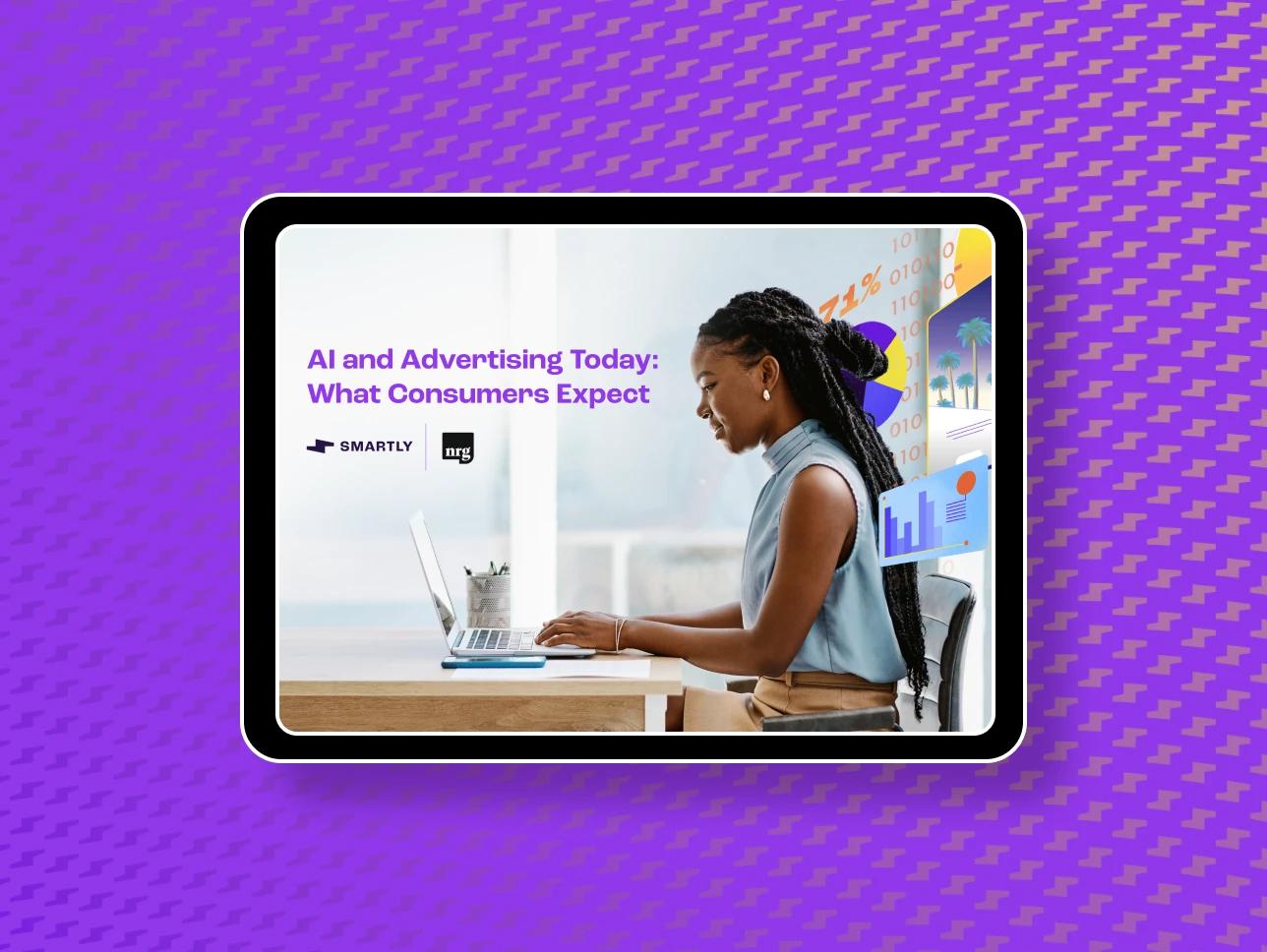
When your marketing efforts involve complex campaigns across multiple channels and regions, you need more than just an AI ad generator, you need a unified system that blends creative automation, media optimisation, and performance insights at scale. Smartly.io fits this need exceptionally well, which is why it is widely recognised as the best enterprise-level AI advertising platform in 2026.
Rather than treating ad creative and ad buying as separate processes, Smartly.io combines them into a single ecosystem. The result is faster campaign execution, smarter optimisation loops and tighter alignment between creative output and paid performance, particularly for large brands and teams with significant media spend.
Why Smartly.io Stands Out for Enterprise Teams
Smartly.io’s strength lies in its ability to automate entire paid media workflows, not just generate ads. AI powers everything from generating creative variations to automating pricing rules and bidding strategies. As campaigns run, the system learns which creative and targeting combinations perform best, then reallocates budget and adjusts delivery accordingly.
Here’s what makes Smartly.io especially compelling for enterprise marketers:
- Full-funnel optimisation, from creative ideation to bidding and scaling
- Cross-platform execution, manage campaigns on Meta, TikTok, Pinterest, and more in one place
- Dynamic creative automation, personalise ads at scale without manual design work
- Smart optimisation rules, let the system adjust bids, audiences, and creatives automatically based on performance
This integrated approach removes silos between creative production and campaign execution, helping teams to deliver more consistent and predictable results.
How to Use Smartly.io to Run High-Impact Campaigns
Smartly.io is designed to support large, data-driven marketing teams. Here’s a practical step-by-step workflow to make the most of its capabilities:
1. Connect your ad accounts and data sources: Start by linking your Meta, TikTok, and other media accounts. You can also integrate first-party data (such as CRM audiences or customer segments), which allows more granular targeting and personalisation.
2. Define your goals and audience segments: Clearly outline your campaign objectives, whether it’s brand awareness, website conversions, lead generation or app installs. Then segment audiences by behaviour, demographics, purchase history or engagement patterns.
3. Set up dynamic creative templates: Using Smartly.io’s creative suite, build flexible templates that automatically swap out elements like images, headlines, price points or call-to-action buttons. This means you can generate hundreds of personalised ad variants without manual design work.
4. Launch automation rules and experiments: Configure automated optimisation rules. For example:
- Increase budget on top-performing audiences
- Pause underperforming creative combinations
- Adjust bids based on time of day or cost per action (CPA) thresholds
These rules ensure your campaigns adapt in real time without constant manual oversight.
5. Measure and refine with performance insights: Use Smartly.io’s analytics dashboards to track KPIs and creative performance. Identify patterns, such as which visuals, messaging or audience segments drive the best ROI, and refine future campaigns accordingly.
This end-to-end workflow helps organisations speed up execution while maintaining tight control over performance.
Practical Example: Global Multi-Market Campaign
Imagine a global retail brand preparing a major seasonal campaign across Southeast Asia, Europe and North America. Each region has different customer preferences, top-selling products and competitive dynamics. With Smartly.io, a marketer can:
- Create one dynamic creative template with multiple product images and headline variations
- Automatically tailor language, currency and offers based on regional data
- Launch campaigns across Meta and TikTok with consistent structure but locally relevant content
- Let optimisation rules shift budget toward the highest-performing markets and audiences
Instead of managing dozens of separate campaigns manually, the team oversees a unified system that adjusts itself, saving time and improving performance.
Best Use Cases for Smartly.io
Smartly.io is especially powerful when:
- You manage large media budgets across multiple platforms
- Your campaigns involve personalised creative at scale
- You want real-time optimisation without manual intervention
- You need cross-regional execution with local nuances
This makes it a strong choice for retailers, travel brands, automotive advertisers, telecommunications companies, and other enterprises with complex paid media needs.
How Smartly.io Fits Into a Modern Marketing Stack
Rather than replacing existing tools entirely, Smartly.io often sits at the centre of a marketing stack, orchestrating how creative, data and performance interact. For example:
- It works alongside analytics platforms (e.g., Google Analytics, Adobe Analytics) to inform optimisation decisions.
- It integrates with CRM and first-party data to improve audience targeting.
- It can help feed insights back into SEO and broader marketing strategy, aligning paid and organic efforts.
In this way, Smartly.io not only enhances ad execution but also strengthens how paid media fits into broader growth strategies.
7. Canva AI – Best for Accessible Creative Production
For many marketing teams, especially small to mid-sized businesses or in-house teams without dedicated designers, creating polished ad creatives can be a bottleneck. That’s where Canva AI comes in.
What began as a simple online design tool has evolved into a powerful, AI-enhanced creative platform that combines ease-of-use with quality outputs. In 2026, it’s one of the best AI ad generators for teams seeking accessibility, efficiency, and multimedia flexibility in a single solution.
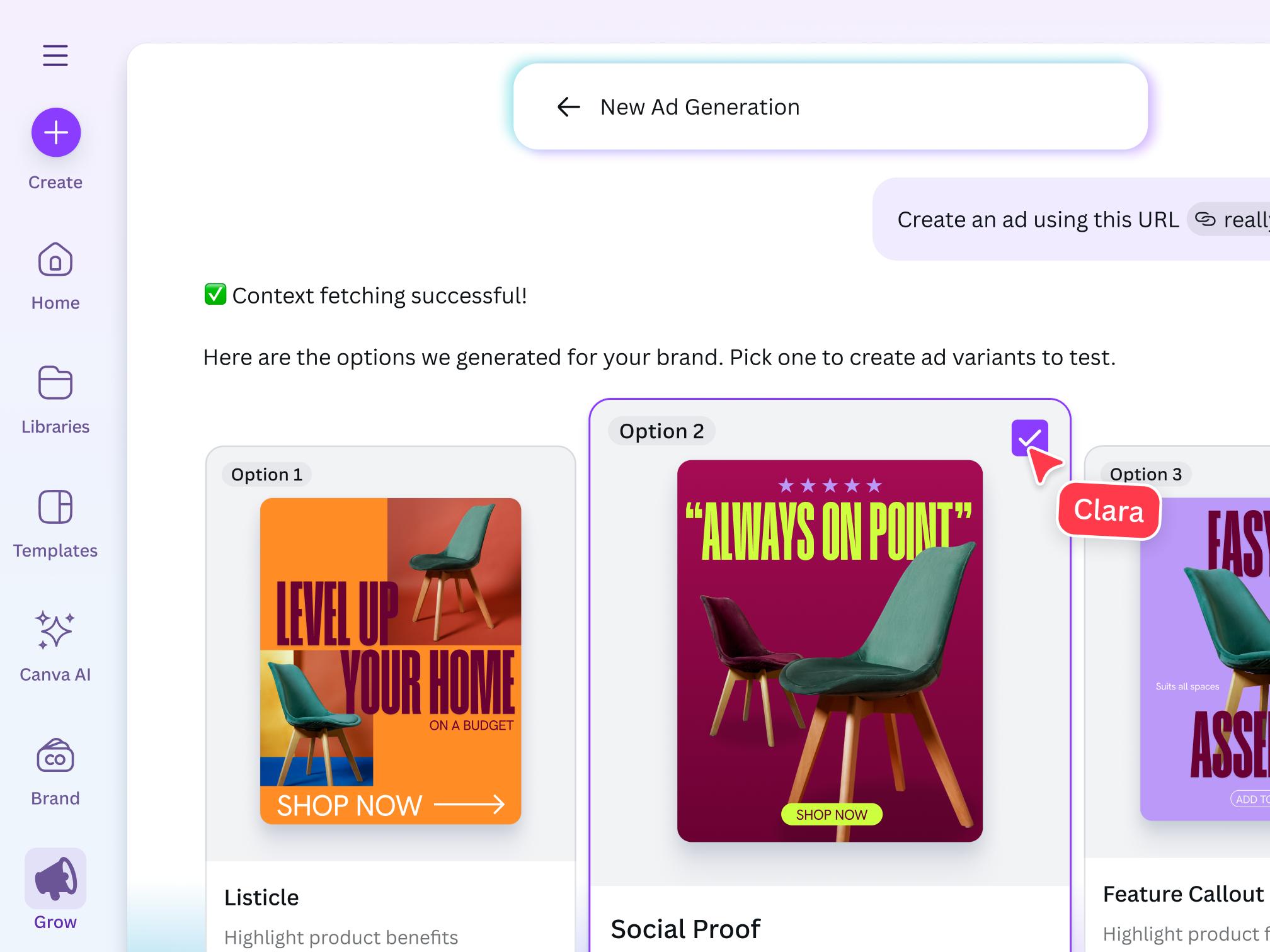
Rather than requiring advanced design skills or expensive software, Canva AI makes creative production intuitive. With AI-assisted copy, templates tailored for different ad formats, and automated visual suggestions, marketers can produce striking ad visuals and messaging in minutes. This accessibility is especially valuable for organisations that need to work quickly without compromising on professional appearance.
Why Canva AI Excels for Accessible Creative Production
Canva AI’s strength lies in blending design and language capabilities so that non-designers can generate high-impact ads without steep learning curves. Instead of starting from a blank page, teams can choose from a library of templates adapted for different platforms (e.g., Meta, LinkedIn, search banners), and then customise them with AI-generated copy, layouts, and visual suggestions.
Here’s what makes Canva AI standout:
- Integrated copy and visual design in one interface, no need to switch tools
- Smart templates tailored for ad platforms, sizes and formats pre-optimised
- Intuitive AI suggestions, from headlines to colour schemes
- Drag-and-drop customisation, for fast edits and brand alignment
Because it combines creative flexibility with powerful AI assistance, Canva AI dramatically reduces production time while maintaining creative quality.
How to Use Canva AI for Ad Creative in Practice
To make the most of Canva AI, follow this practical step-by-step process:
1. Select the Right Template: Start by picking a template sized for your specific ad platform. For example:
- 1080×1080 for Instagram ads
- 1200×628 for Facebook feed
- 300×250 for display banners
Choosing the correct format upfront ensures your designs are ready to publish without resizing issues later.
2. Upload Brand Assets: Add your logo, brand fonts, colour palette and product images. This helps Canva AI generate suggestions that are consistent with your brand identity.
3. Generate AI Copy: Use Canva AI’s text assistant to create ad headlines, short descriptions, or calls to action. Simply prompt the AI with key details, such as:
- “Generate 5 taglines for a limited-time offer on our digital marketing course.”
- “Write a punchy headline for a new fitness app targeting busy professionals.”
The tool will produce multiple options you can choose from and refine.
4. Mix and Match Visual Elements: Experiment with recommended layouts, background styles, and image placements. Canva AI often suggests variations based on your initial inputs, such as swapping visuals for greater impact or balancing text hierarchy for readability.
5. Review and Export: Once you’re satisfied, preview the ad to ensure it looks right across platforms, make final adjustments, and export in the correct file format (e.g., PNG, GIF or MP4 for animated content).
This workflow turns what used to be a multi-step, designer-led process into a simple, efficient experience.
Practical Example: Creating a Multi-Platform Campaign
Imagine your business is launching a new online workshop and needs creative assets for both Facebook and LinkedIn ads. With Canva AI:
- Start with two templates, one optimised for Facebook and one for LinkedIn.
- Generate AI headlines such as:
- “Unlock New Skills, Join Our Workshop Today!”
- “Master Key Strategies With Expert-Led Sessions.”
- Use AI colour and layout suggestions to adjust the visual emphasis for each platform (e.g., bold colours for Facebook, more professional layout for LinkedIn).
- Preview and export each version in the correct dimensions so that they’re ready to upload into your respective ad managers.
By following this method, you can maintain visual consistency while tailoring each creative for the audience and context.
Best Use Cases for Canva AI
Canva AI is particularly effective when:
- You need fast and polished ad creative without design expertise
- You are running multi-format campaigns (social, display, banners)
- Brand consistency matters but design resources are limited
- You want copy and visual elements integrated in one workflow
For smaller teams or brands without dedicated creative departments, Canva AI can dramatically accelerate production while keeping outputs professional and brand-aligned.
How Canva AI Complements Other Marketing Tools
Rather than replacing specialised tools, Canva AI fits neatly into broader marketing workflows. For example:
- Use AI ad copy generated in Canva as a starting point, then fine-tune messaging with tools like Anyword or Jasper for performance optimisation.
- Combine video clips created in Canva with analytics from platforms like Smartly.io to inform creative optimisation.
- Integrate Canva visuals into broader design systems or content management processes.
By serving as a creative hub, Canva AI helps teams produce compelling assets that fit seamlessly into data-driven campaigns.
How to Choose the Best AI Ad Generator for Your Business
There is no single “best AI ad generator” for everyone. The right choice depends on your goals, resources, and level of maturity.
Consider:
- Do you prioritise copy, visuals, or video?
- Are you optimising for speed or performance accuracy?
- Do you need strong brand control?
- Will the tool integrate with your existing ad platforms?
At Saigon Digital, we often recommend starting with one tool, testing it within a controlled campaign, and scaling once it proves value.
AI Is a Partner, Not a Replacement
The best AI ad generator in 2026 does not replace marketers, it empowers them. AI handles scale, speed, and data, while human teams focus on strategy, creativity, and insight.
For ambitious brands, AI-driven advertising is no longer optional. It is part of building smarter, faster, and more resilient marketing systems.
If you are exploring AI-powered marketing solutions or want guidance on choosing and implementing the right tools, Saigon Digital is here to help. We combine strategy, creativity, and data to turn innovation into measurable growth.
Contact our team today!
Want to be the brand AI engines recommend?
We make businesses visible on Google and inside AI answers, measured in leads, not vanity metrics.