As we move further into 2026, AI for data analysis has shifted from being a luxury available only to large enterprises to an essential capability for organisations of all sizes.
In this complete guide, we will walk you through exactly how to use AI for data analysis in 2026, the tools you should know, the workflows you should adopt, and the pitfalls you should avoid. More importantly, we will keep everything practical and easy to understand, providing examples so you can act on the insights straight away.
Why AI for Data Analysis Has Become Essential in 2026
Over the past few years, the volume of available data has grown exponentially. However, the real challenge is not collecting the data, it is interpreting it quickly enough to support smart decisions. AI models now process complex datasets in seconds, uncovering patterns that human analysts might miss.
Moreover, AI has become far more accessible. Thanks to improved interfaces, cloud-based tools and integrated AI assistants, non-technical teams can now perform analysis that once required dedicated data scientists. As a result, organisations can respond rapidly to market changes, user behaviour, and internal performance metrics.
How AI Enhances Data Analysis Today
Before diving into the “how-to”, it helps to understand what modern AI can do. In 2026, AI for data analysis typically supports four core functions:
1. Data Cleaning and Preparation
AI automates tedious tasks such as removing duplicates, validating formats, and filling missing values.
Example: Instead of manually standardising date formats across multiple spreadsheets, AI can instantly detect inconsistencies and apply the same format to all records.
2. Pattern Recognition and Insights
AI identifies correlations, trends and anomalies across large datasets.
Example: If your e-commerce store experiences a sudden spike in abandoned carts, AI can pinpoint that the issue started after a specific UX change.

3. Predictive Analytics
AI models forecast future behaviour based on historical data. This is also called predictive AI.
Example: Predicting next quarter’s organic traffic or estimating customer churn risk.
4. Natural Language Querying
Instead of writing complicated SQL queries, analysts can now ask the system to “Show me sales growth by region for the last six months”.
Together, these capabilities allow teams to work faster, reduce errors and make more confident decisions.
A Step-by-Step Guide to Using AI for Data Analysis in 2026
At Saigon Digital, we often guide our clients through this process. Below is a streamlined framework that works for any industry.
Step 1: Define Your Objective Clearly
Before touching any tool, identify exactly what you want to achieve. Without a clear goal, AI’s insights may be interesting but not actionable.
Ask yourself:
- What decision do I need to make?
- Which metrics matter most?
- What timeframe do I care about?
- Who will use the insights?
Example:
Instead of saying “analyse our marketing data”, be specific: “Identify which channels provided the lowest cost per acquisition over the past 90 days.”
Clear questions yield precise answers.
Step 2: Gather and Consolidate Your Data
AI performs best when data sources are connected. In 2026, most tools integrate with:
- CRM platforms
- Social media analytics
- Google Analytics 4
- Advertising platforms
- CMS systems
- Internal databases
Where possible, centralise your information in a unified dashboard or data warehouse.
Tip: If you’re a smaller business, even a well-structured Google Sheet or Notion database can work, AI tools now integrate seamlessly with these formats.
Step 3: Use AI to Prepare and Clean the Data
Once your dataset is consolidated, use AI features to handle early preprocessing. This typically includes:
- Identifying missing values
- Detecting duplicates
- Flagging anomalies
- Normalising formats
- Categorising unstructured data
Most tools allow you to preview suggested changes before applying them, ensuring quality control without slowing the process.
Step 4: Run Exploratory Analysis
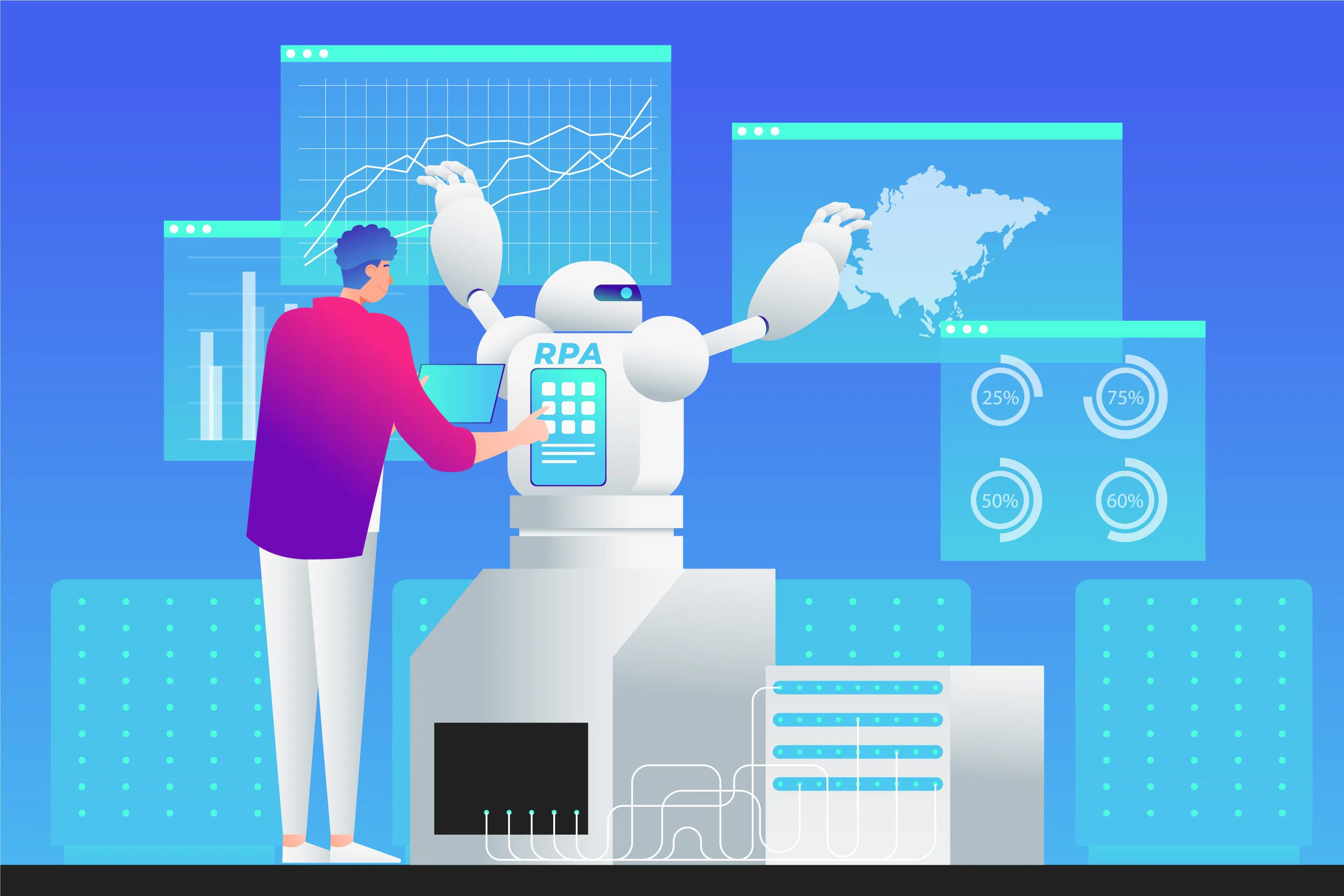
Exploratory analysis helps you understand what story the data is trying to tell. Modern AI tools offer:
- Automated summary insights
- Correlation analysis
- Cluster detection
- Behavioural segmentation
- Visual breakdowns
Example: AI might reveal that users coming from mobile ads exhibit higher purchase intent during weekend evenings, leading to a more strategic ad spend allocation.
Step 5: Use AI to Build Predictive Models
By 2026, predictive modelling tools require little to no coding. You simply choose a goal, such as predicting sales, retention, traffic or revenue, and let the system train models based on your data.
Popular applications include:
- Forecasting next quarter’s KPIs
- Predicting churn probability
- Identifying high-value customer segments
- Estimating the impact of pricing changes
Actionable tip: Always validate predictions against a portion of historical data to ensure accuracy.
Step 6: Transform Insights into Actionable Strategy
Data matters only when it informs action. After your AI tool presents insights, create:
- A list of recommended actions
- Owners responsible for those actions
- Expected outcomes
- A timeline
- KPIs to measure success
Example: If AI shows that long-form blogs drive higher conversions, assign your content team a twice-monthly long-form publishing schedule with specific topic guidelines.
Step 7: Automate Reporting and Continuous Monitoring
AI thrives on ongoing data streams. Set up dashboards and automated reports that:
- Refresh daily or weekly
- Highlight anomalies immediately
- Notify you of emerging trends
- Track performance against defined targets
This ensures you stay proactive instead of reactive.
Best AI Tools for Data Analysis in 2026
While the “best tool” depends on your needs, here are categories worth exploring:
1. General AI Data Platforms
These platforms work well as all-in-one analysis assistants. They offer natural language querying, automated insights, and predictive modelling without requiring deep technical expertise.
ChatGPT Enterprise Analytics Suite
Introduction:
OpenAI's enterprise-grade analytics environment integrates directly with spreadsheets, databases and cloud tools. By 2026, it includes built-in data visualisation, automated modelling and domain-specific analysis templates.
Key Features:
- Natural language queries using plain English
- Automatic cleaning and preprocessing suggestions
- Forecasting, segmentation and anomaly detection
- Collaborative dashboards for teams
Best Used For: Teams needing a flexible, high-level AI analyst capable of translating raw datasets into clear, actionable insights. Excellent for marketing, operations and customer experience analysis.

Google Gemini Data Workspace
Introduction:
Gemini powers Google’s next-generation data tools, offering seamless integration with Google Analytics 4, BigQuery, Looker Studio and Sheets.
Key Features:
- Advanced predictive models built directly inside BigQuery
- Natural language prompts in Sheets and Looker
- Real-time insight suggestions based on GA4 behavioural data
- Automatic dashboard creation
Best Used For: Marketers and analysts heavily invested in the Google ecosystem who want fast, accurate insights across advertising, user behaviour and SEO data.
Microsoft Azure AI Insights Hub
Introduction:
An enterprise-focused platform that automates end-to-end data analysis workflows using Azure’s machine learning and cognitive services.
Key Features:
- Automated machine learning model generation
- Deep integration with Microsoft Fabric, Power BI and SQL Server
- Custom AI agent creation for industry-specific analysis
- High-level data governance tools
Best Used For: Enterprise teams with complex datasets or strict compliance requirements that rely on Microsoft infrastructure for daily operations.
2. Marketing and SEO Analytics AI
These tools specialise in analysing user behaviour, content performance, keyword trends and campaign data, making them valuable for agencies like ours.
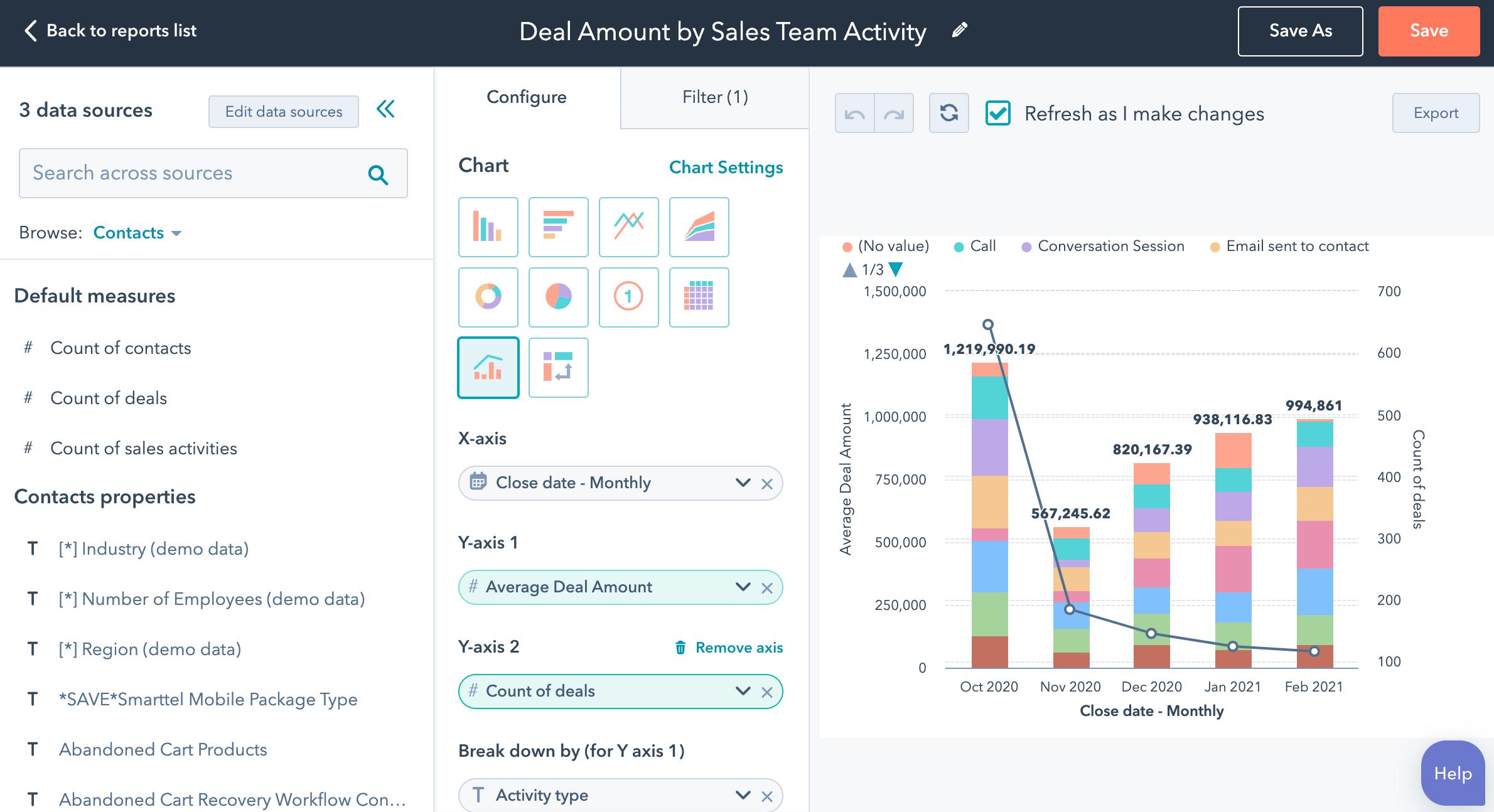
HubSpot AI Analytics Pro
Introduction:
HubSpot’s expanded AI analytics layer turns multi-channel marketing data into actionable insights for growth teams.
Key Features:
- Predictive lead scoring and conversion forecasting
- Automated segmentation and behavioural clustering
- Content opportunity recommendations
- AI-powered attribution modelling
Best Used For:
Inbound marketing teams seeking clarity on campaign performance and customer lifecycle patterns.
Semrush Copilot
Introduction:
Semrush has integrated its Copilot AI assistant across all toolsets, providing real-time SEO and content insights backed by large-scale global search data.
Key Features:
- AI-generated keyword clusters
- Competitive gap analysis
- Real-time SERP volatility alerts
- Content optimisation powered by behavioural signals
Best Used For:
SEO professionals who want AI-driven insights mapped to real search behaviour, not generic suggestions.
Adobe Experience Platform AI (Adobe Sensei)
Introduction:
Adobe’s Sensei engine consolidates digital experience, behavioural tracking, and personalisation data under a unified AI layer.
Key Features:
- Predictive audience modelling
- Cross-channel user journey analysis
- Real-time personalisation recommendations
- Automated attribution insights
Best Used For: Brands working deeply with customer experience, personalisation and creative optimisation across multiple channels.
3. BI and Dashboard Tools with AI Built In
Business intelligence platforms have become far more intelligent by 2026, offering automated modelling and natural language insight explanations.
Power BI with Copilot AI
Introduction:
Microsoft’s Copilot integrates directly inside Power BI, transforming dashboard building into a conversational process.
Key Features:
- Generate dashboards from simple prompts
- Write DAX formulas through natural language
- Automatically detect key drivers and patterns
- Provide narrative summaries for charts
Best Used For:
Companies building operational dashboards that require both visuals and automated narrative explanations.
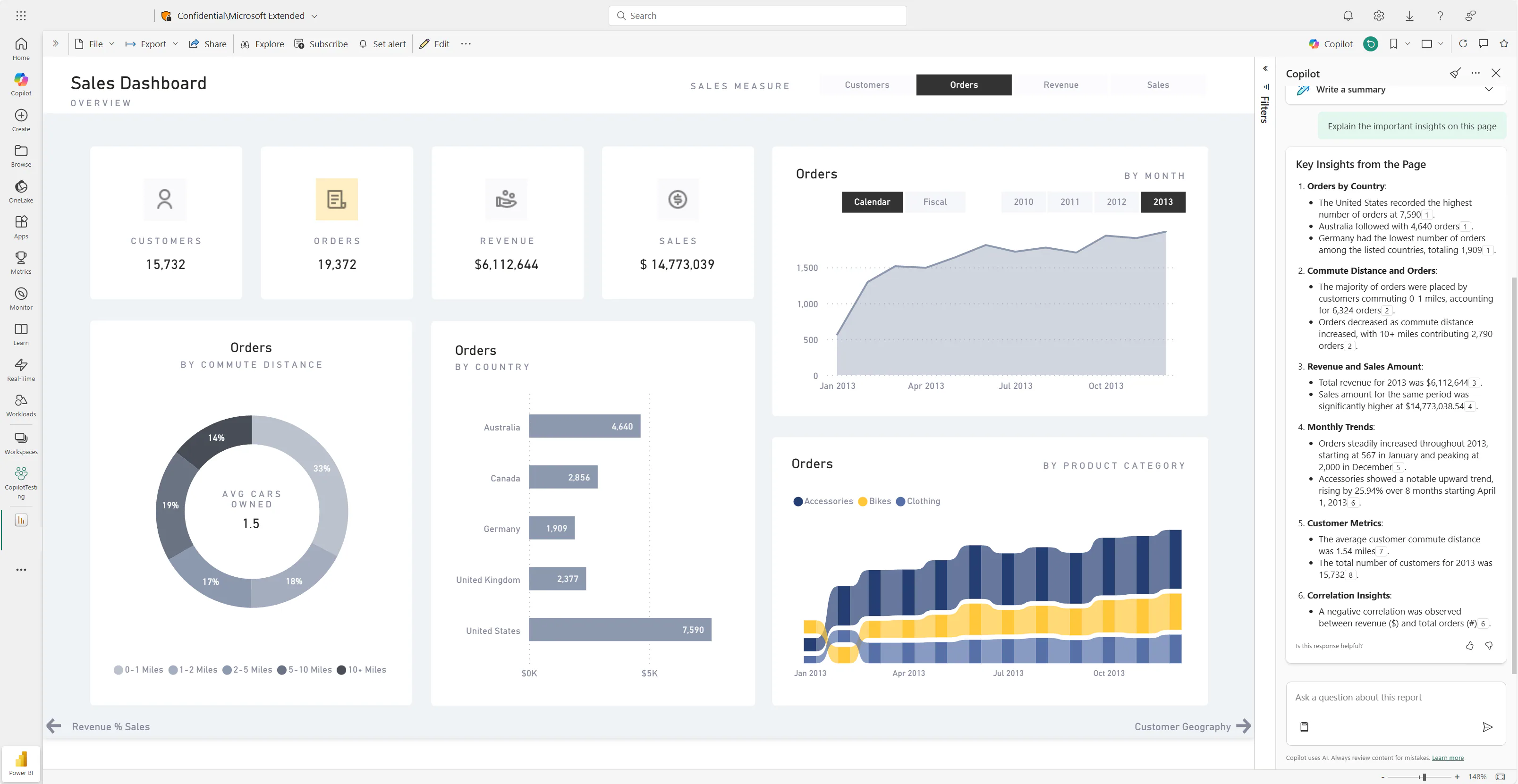
Tableau Pulse
Introduction:
Tableau Pulse takes traditional BI a step further by offering proactive insight delivery instead of static dashboards.
Key Features:
- Automated KPI monitoring
- AI-explained outliers and anomalies
- Personalised insight feeds for each team member
- Integration with Salesforce’s Einstein GPT
Best Used For:
Teams wanting real-time insights tailored to each role, especially sales and leadership teams.
Looker Studio with Gemini Insights
Introduction:
Google’s Looker Studio has evolved into a highly intuitive, AI-guided reporting tool that simplifies data storytelling.
Key Features:
- Auto-created dashboards based on GA4, Ads and CRM data
- Intelligent KPI comparisons
- Automated text summaries for visualisations
- Custom predictive widgets
Best Used For: Digital marketing teams and SMEs who need low-maintenance, AI-supported reporting.
4. Lightweight AI Assistants for Quick Analysis
Perfect for small teams or individuals who want fast insights without building full data pipelines.
Notion AI Analytics Blocks
Introduction:
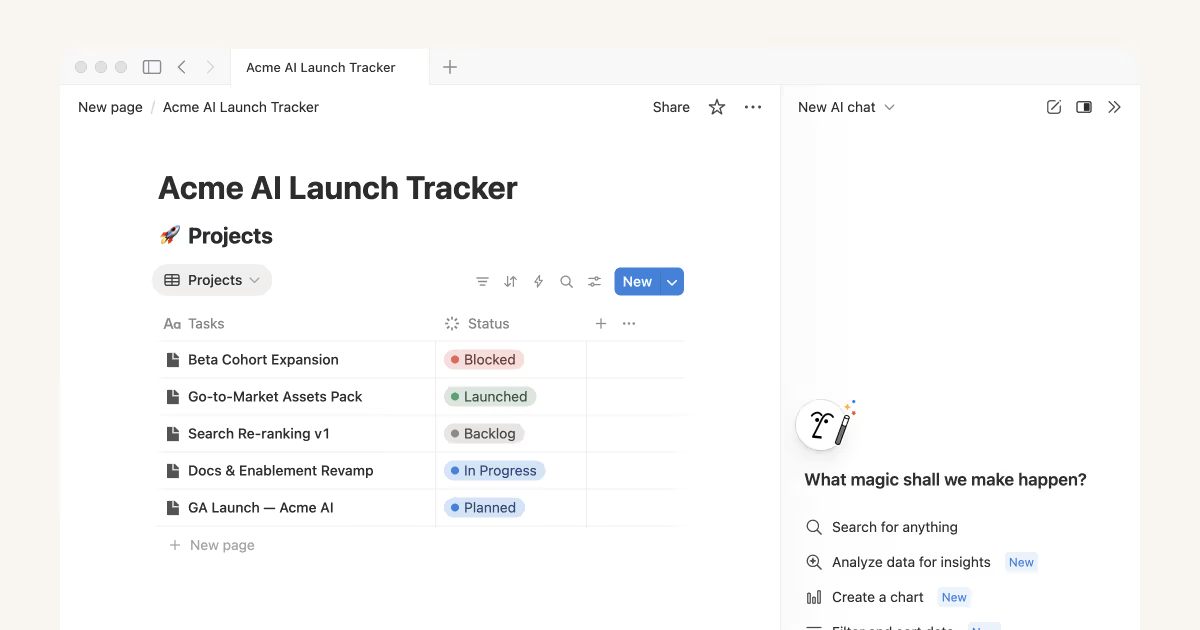
Notion’s AI layer now supports embedded data tables, lightweight modelling and trend detection directly in your workspace.
Key Features:
- Analyse embedded tables with simple prompts
- Generate summaries and insights instantly
- Forecast small datasets
- Visualise trends inside Notion pages
Best Used For: Start-ups and freelancers who prefer a simple, all-in-one workspace without complex data infrastructure.
SheetAI Pro
Introduction:
An AI-powered add-on for Google Sheets that turns ordinary spreadsheets into intelligent analysis hubs.
Key Features:
- Auto-generate formulas
- Clean data with a single command
- Detect patterns in spreadsheet ranges
- Generate charts and summaries
Best Used For: Anyone comfortable working in spreadsheets but wanting AI to handle the heavy lifting.
Rows AI
Introduction:
Rows combines collaborative spreadsheets with built-in AI and direct integrations with APIs.
Key Features:
- Pull data from third-party tools instantly
- Run transformations using plain-language commands
- Visualise data with auto-generated charts
- Share live, interactive reports
Best Used For: Teams wanting a flexible, spreadsheet-style workflow with modern AI capabilities baked in.
Common Mistakes When Using AI for Data Analysis
Even with advanced tools, there are pitfalls to avoid:
1. Over-Relying on AI Without Human Judgement
AI can surface patterns and generate predictions with impressive accuracy, but it still lacks the contextual awareness that human teams bring. When companies accept AI insights at face value, they risk making decisions that overlook nuance, brand positioning or market shifts the model cannot fully interpret.
Therefore, AI should act as a guide, not a replacement. Human experience, domain knowledge and strategic thinking must remain integral to the decision-making process.
2. Ignoring Data Quality
Even the most advanced AI systems depend on clean, consistent and complete data. When organisations input poorly structured or outdated information, they inevitably receive unreliable insights in return. This often leads to misguided decisions and unnecessary troubleshooting later on.
Maintaining strong data hygiene, such as regular audits, validation rules and clear formatting, ensures the AI works with a reliable foundation and produces trustworthy recommendations.

3. Using Too Many Tools
It’s tempting to adopt every new AI tool available, especially as features rapidly evolve. However, a fragmented toolset creates silos, increases manual work and complicates collaboration. When data lives across multiple platforms without proper integration, insights become inconsistent and harder to trust.
Instead, teams should prioritise a lean, connected stack that aligns with their workflows and centralises data wherever possible.
4. Not Validating Insights
AI-generated insights can look convincing, but they still require verification. Failing to validate results, can lead teams to act on flawed assumptions. By taking a moment to evaluate the output, you ensure the insights make sense for your specific business context.
This step ultimately strengthens decision-making and builds confidence in your analytics process.
Practical Examples of AI for Data Analysis in Action
Below are a few real-world scenarios:
1. Retail
In the retail sector, AI helps teams anticipate customer demand with far greater accuracy. By analysing purchase history, seasonal trends and real-time browsing behaviour, AI models can forecast which products will sell faster and when stock levels need adjusting. This reduces excess inventory, avoids stockouts and ultimately improves cash flow.
Retailers also benefit from AI-driven customer segmentation, which helps refine personalised recommendations and targeted promotions.
2. Hospitality
In hospitality, AI analyses guest booking patterns across various platforms to identify the channels that consistently deliver the highest-value customers.
By understanding behaviours such as booking lead times, preferred stay durations and upsell tendencies, hotels can refine their digital marketing strategy and optimise distribution budgets. AI also flags fluctuations in demand, allowing hotels to adjust pricing dynamically and maintain healthy occupancy rates.
3. SaaS
For SaaS companies, AI is especially useful for predicting churn by examining user activity trends, login frequency, feature adoption and customer support interactions. When the system identifies users at risk of disengaging, teams can proactively reach out with personalised onboarding, feature education or retention incentives.
Additionally, AI can highlight which product features drive the highest engagement, helping SaaS teams prioritise roadmap decisions and improve the user experience.
How Saigon Digital Helps Businesses Adopt AI for Data Analysis
At Saigon Digital, we support organisations by:
- Auditing existing data processes
- Recommending AI tools tailored to their goals
- Building unified dashboards
- Training teams to interpret and validate AI insights
- Integrating AI-powered workflows into marketing and SEO strategies
Our aim is to ensure you not only adopt AI but also use it in ways that directly support your growth.
Ready to Transform Your Data Strategy?
AI for data analysis in 2026 is a practical, accessible and powerful tool that helps organisations make smarter decisions with confidence. By understanding how to collect, clean, analyse and leverage data with AI, you position your organisation to move faster, serve users better and maintain a competitive edge.
Saigon Digital is ready to help with bespoke solutions designed for long-term success if you want guidance choosing the right AI tools or implementing a streamlined data workflow.
Contact us today!
Want to be the brand AI engines recommend?
We make businesses visible on Google and inside AI answers, measured in leads, not vanity metrics.