In the world of technical SEO , few topics are as misunderstood and often mismanaged as URL parameters . These seemingly harmless strings of characters added to the end of a URL can play a significant role in how your site is crawled, indexed, and ultimately ranked in search engines. If left unchecked, they can quietly erode your crawl budget, dilute your authority across duplicate pages, and introduce unnecessary complexity to your SEO strategy. For this comprehensive guide, we’ll explain what URL parameters are, how they affect SEO , and how to manage them effectively.
What Are URL Parameters?
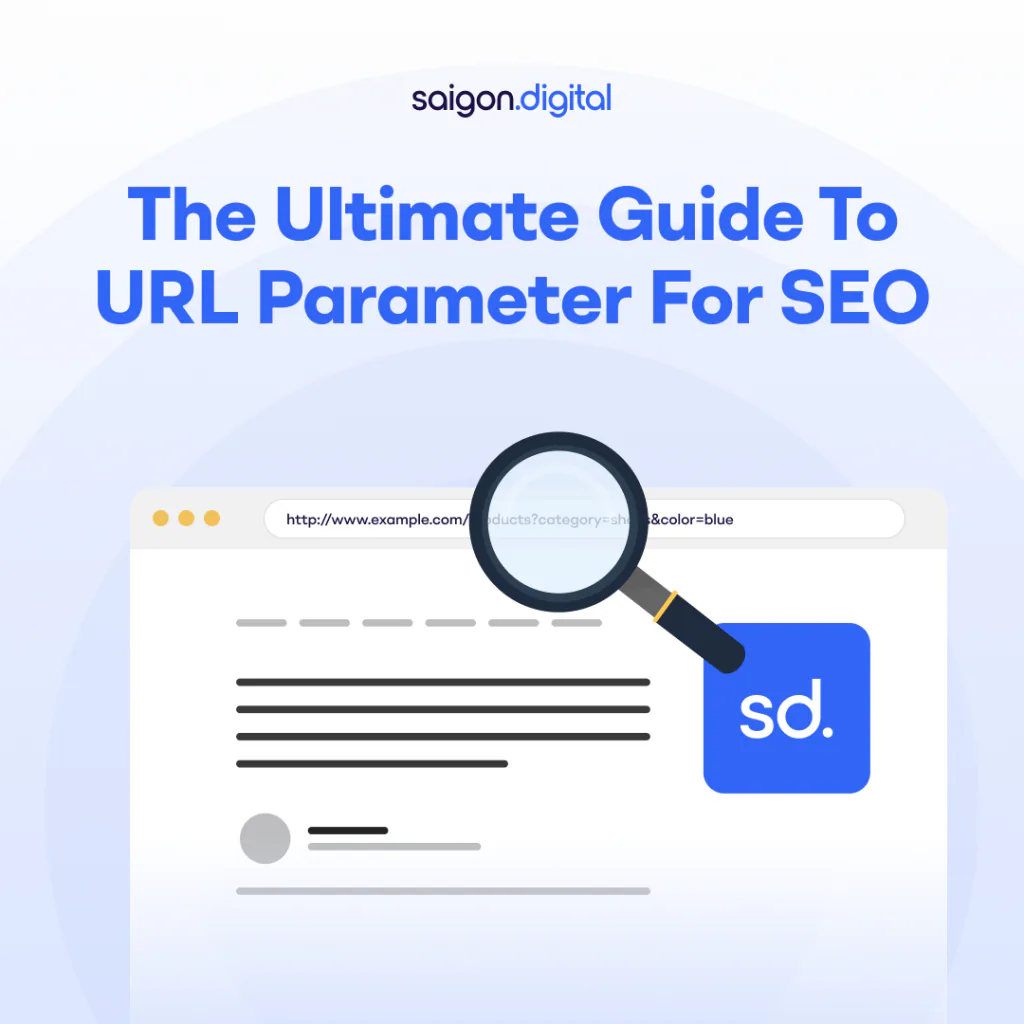
URL parameters, also known as query strings, are elements added to the end of a URL after a question mark ( ? ). They are used to pass data from one page to another, track user behaviour, or modify the content shown on a page. Here’s an example: https://www.example.com/products?category=shoes&colour=blue In this example, category=shoes and colour=blue are the parameters. Each parameter consists of a key ( category , colour ) and a value ( shoes , blue ). There are typically two broad types of URL parameters:
- Tracking parameters: Used by analytics and marketing tools (e.g. utm_source, gclid, fbclid)
- Functional parameters: Used to alter page content (e.g. filtering, sorting, pagination)
While useful for developers and marketers, these parameters can introduce complications for SEO if not handled properly.
How URL Parameters Affect SEO
URL parameters can influence SEO in several ways, not all of them positive. Here are the most common challenges:
Duplicate Content
Search engines may view different URLs with different parameter combinations as separate pages, even if they lead to the same or similar content. This can result in:
- Dilution of link equity across multiple URLs
- Confusion over which version to rank
- Crawling and indexing inefficiencies
For example:
- example.com/shoes?colour=blue
- example.com/shoes?size=10
- example.com/shoes
These may all display the same product grid but be treated as unique URLs by Google and may lead to your site being labeled as having lots of duplicate contents .
Crawl Budget Waste
Large websites, e-commerce platforms especially, often generate thousands of URL variations due to faceted navigation. If left unchecked, this can overwhelm your crawl budget and prevent search engines from accessing your most important pages. Search bots may spend their time crawling near-identical filtered URLs instead of fresh content or high-value landing pages, harming your site’s indexation health over time.
Index Bloat
When too many parameter-based URLs are indexed, they can clutter your site’s presence in the search results. This “index bloat” makes it harder for Google to surface the right page for the right query and may drag down overall site quality signals.
Canonical Confusion
Using canonical tags inconsistently across parameter URLs can make it unclear which version of the page should be prioritised. If the canonical signal conflicts with other directives (e.g. sitemap URLs, internal links), Google might ignore the tag entirely.
When URL Parameters Are Useful
Despite their challenges, not all URL parameters are inherently bad. In fact, they can be helpful in the right context, particularly when used for:
- On-site search results (?q=running+shoes)
- Analytics and campaign tracking (?utm_medium=email)
- Session IDs or user tracking (although cookies are often better suited)
The key is to distinguish between parameters that add unique value to a page (e.g. changing the content shown) versus those that only serve backend or tracking purposes.
How to Identify URL Parameter Issues
To manage parameters effectively, you first need to understand how they’re affecting your website. Here’s how to audit them:
Google Search Console – Crawl Stats and URL Inspection
GSC can reveal which parameterised URLs are being crawled or indexed. Use the Crawl Stats report and the URL Inspection Tool to check if Google is accessing multiple versions of the same content.
Log File Analysis
Conducting a log file analysis will show exactly which URLs search engines are crawling. If you find high crawl volumes for filtered, sorted, or paginated URLs, you may have a parameter problem.
Site Search with Advanced Operators
Use Google search with operators like site:yourdomain.com inurl:? to uncover indexed URLs that include parameters. You can also add specific terms (e.g. inurl:sort ) to refine your check.
Analytics and Tagging Platforms
UTM tags and other tracking parameters can be audited within platforms like Google Analytics or Matomo. This ensures they are not being indexed accidentally or creating landing pages with no SEO value.
How to Manage URL Parameters for SEO
Now that you understand the risks, here are best practices to control and optimise URL parameters for SEO:
Use Canonical Tags Properly
If your parameterised URL shows similar content to a clean version, use a canonical tag to point back to the preferred URL. This signals to search engines which version should be indexed, helping consolidate link equity. <link rel="canonical" href="https://www.example.com/shoes"> Be consistent in your implementation, and make sure the canonical URL is accessible and properly linked throughout the site.
Block Parameters in robots.txt (With Caution)
You can disallow certain parameter patterns in your robots.txt file. However, this only prevents crawling, not indexing. If a URL is linked to internally or externally, Google might still index it. Example: Disallow: /*?sort= Use this method sparingly, and test changes before deploying to live environments.
Avoid Using Parameters for Important Pages
Where possible, use static, keyword-rich URLs instead of parameter-heavy ones. For example: ✅ example.com/shoes/running ❌ example.com/products?type=shoes&style=running Clean URLs are easier to crawl, more user-friendly, and perform better in organic search.
Use Hreflang Tags Carefully
If your site targets multiple regions or languages, avoid including parameters in hreflang URLs unless absolutely necessary. Consistency is key for ensuring Google understands your international SEO structure.
Consolidate Internal Links
Ensure that your internal links, menus, breadcrumbs, related content, point to the canonical version of a page, not parameter variants. This reduces confusion and strengthens crawl signals.
When to Consider URL Rewriting
If your platform or CMS generates lots of parameter-based URLs, consider investing in URL rewriting. This transforms complex query strings into clean, structured URLs using readable paths. Not only does this help SEO, but it improves user experience and trust. For example:
- From: example.com/products?category=shoes&colour=red
- To: example.com/shoes/red
Many modern platforms support URL rewriting via built-in settings, plugins, or server rules (like .htaccess for Apache or rewrite directives for NGINX).
Taming URL Parameters for Long-Term SEO
URL parameters are a natural part of modern websites, especially those that offer sorting, filtering, and dynamic content generation, such as e-commerce stores, directory sites, and travel platforms. While they offer flexibility for users and functionality for developers, poor parameter management can lead to unintended SEO consequences: duplicate content, crawl inefficiencies, and diluted ranking signals. The key is not to eliminate parameters entirely, but to control them thoughtfully. That means taking a proactive, informed approach: regularly auditing your parameter usage, clearly defining your canonical pages, consolidating internal links, and preventing unnecessary variants from being indexed or crawled.
Let Saigon Digital Help You Take Control
At Saigon Digital , we specialise in solving digital challenges with forward-thinking, user-centric, and bespoke SEO solutions. Ready to streamline your site’s SEO performance? Get in touch with us today and discover how smarter parameter handling can unlock better search results and a cleaner, faster website.
Want to be the brand AI engines recommend?
We make businesses visible on Google and inside AI answers, measured in leads, not vanity metrics.