At Saigon Digital, we spend a lot of time helping brands create digital experiences that scale. One challenge we see again and again is this: great visuals are expensive to produce, yet every channel demands a different size, format and layout. This is exactly where the best AI image extender tools come in.
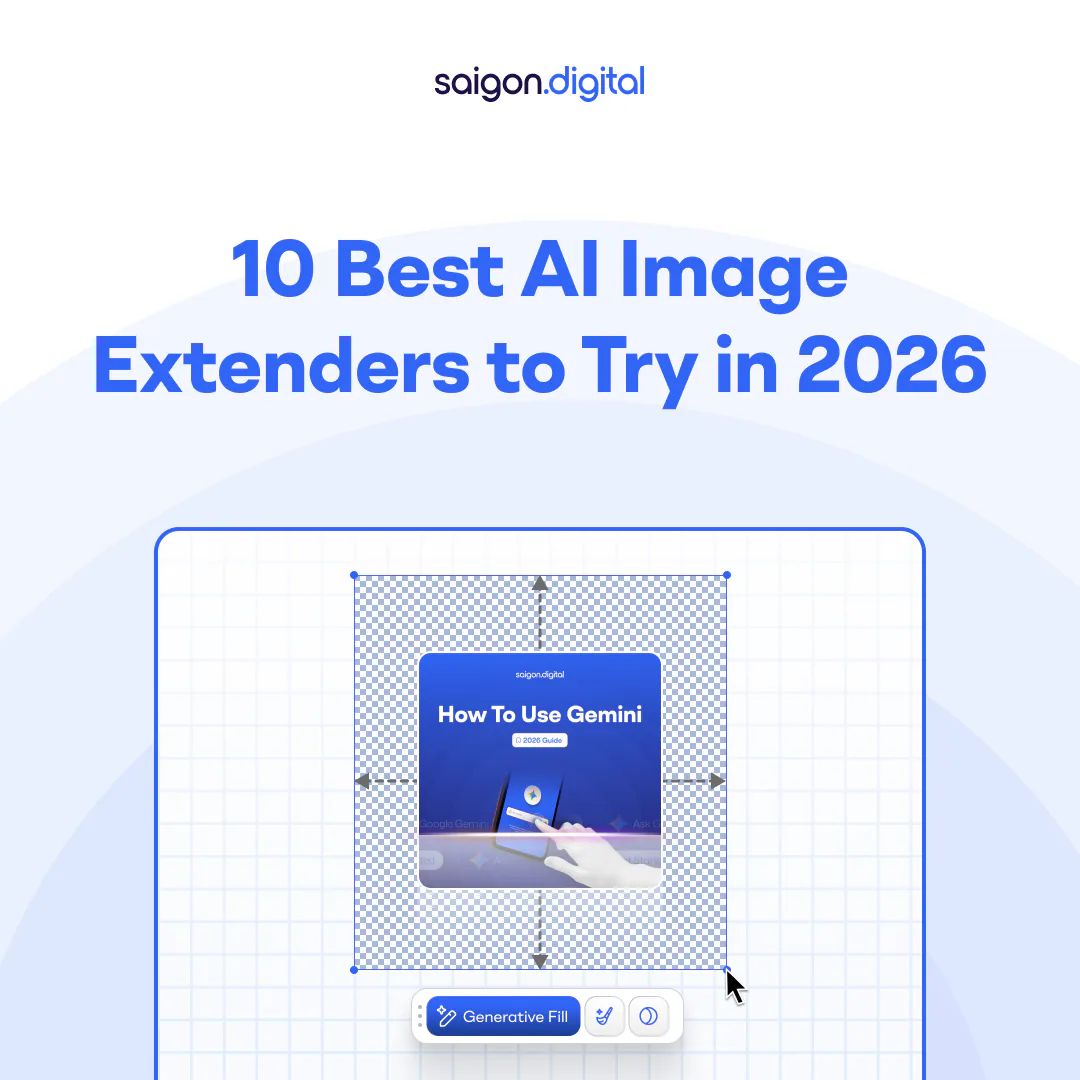
AI image extenders (often called “outpainting” tools) intelligently expand an existing image beyond its original borders. Instead of stretching or blurring the background, they generate new, context-aware content that matches the original scene. The result is more flexibility, faster production, and better use of your creative assets.
Below, we explore the 10 best AI image extenders to try in 2026, along with their strengths, limitations and ideal use cases.
1. Adobe Firefly (Photoshop & Creative Cloud)
Best for: Professional designers and marketing teams
Platform: Web, Desktop (via Adobe Creative Cloud)
Adobe Firefly has quickly become a benchmark for AI-powered image expansion, especially because it sits directly inside Photoshop. This means designers can extend images as part of their normal workflow, rather than jumping between tools. More importantly, Firefly does an excellent job of preserving lighting, perspective and colour, which makes the final result feel natural rather than generated.
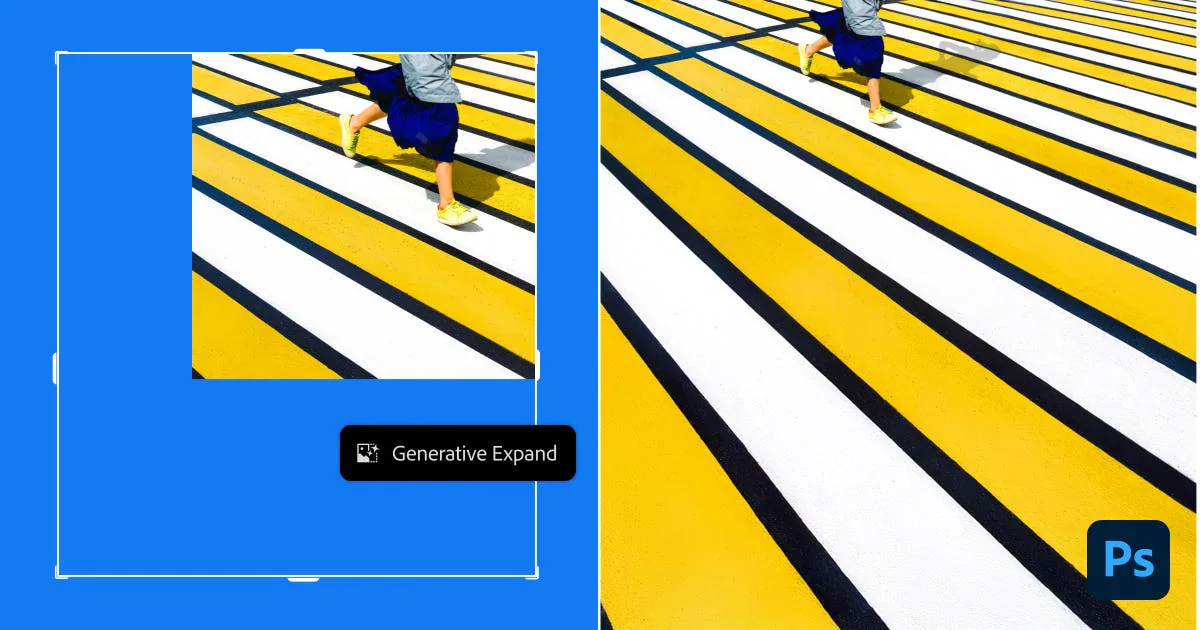
Because of this tight integration, Firefly is particularly strong for commercial work such as campaign visuals, website hero images and large-format ads. However, it does come with the usual Adobe subscription costs, which may be a barrier for smaller teams.
Pros:
- High-quality, professional results
- Seamless integration with Photoshop
- Excellent control over edits
Cons:
- Requires an Adobe subscription
- Slight learning curve for non-designers
2. Photoroom AI Image Expander
Best for: E-commerce and product imagery
Platform: Web
Photoroom focuses on speed and consistency, which makes it a strong choice for online retailers. Rather than redesigning assets from scratch, teams can extend existing product photos to fit different layouts, marketplace listings, social ads or website banners, without losing focus on the product itself.
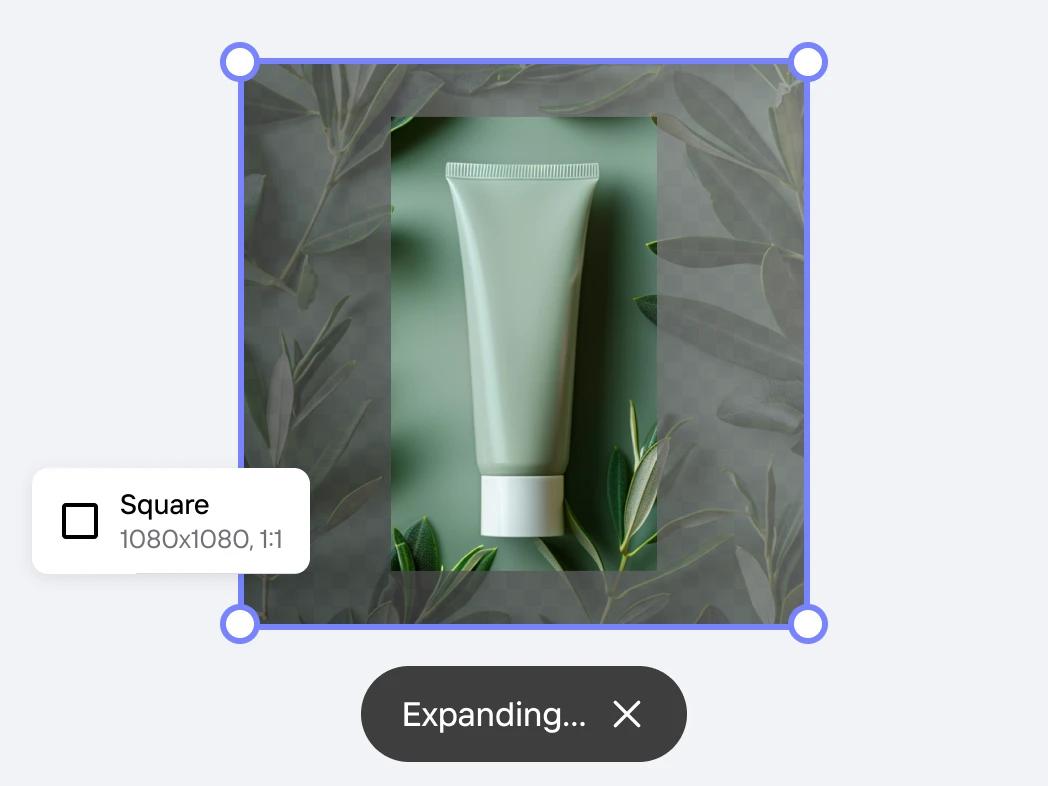
In practice, this means you can take one clean product shot and quickly generate multiple formats. While it doesn’t offer the deep creative control of Adobe, it makes up for that with simplicity and efficiency.
Pros:
- Fast, streamlined workflow
- Excellent for product and catalogue images
- Minimal design skills required
Cons:
- Less creative control
- Not aimed at complex, artistic compositions
3. PicsArt AI Image Extender
Best for: Social media and marketing content
Platform: Web, iOS, Android
PicsArt has long been popular with content creators, and its AI image extender fits neatly into that ecosystem. The tool automatically analyses the scene and fills in new areas in a way that feels consistent with the original image. As a result, it’s ideal for resizing visuals for different social platforms without awkward cropping.
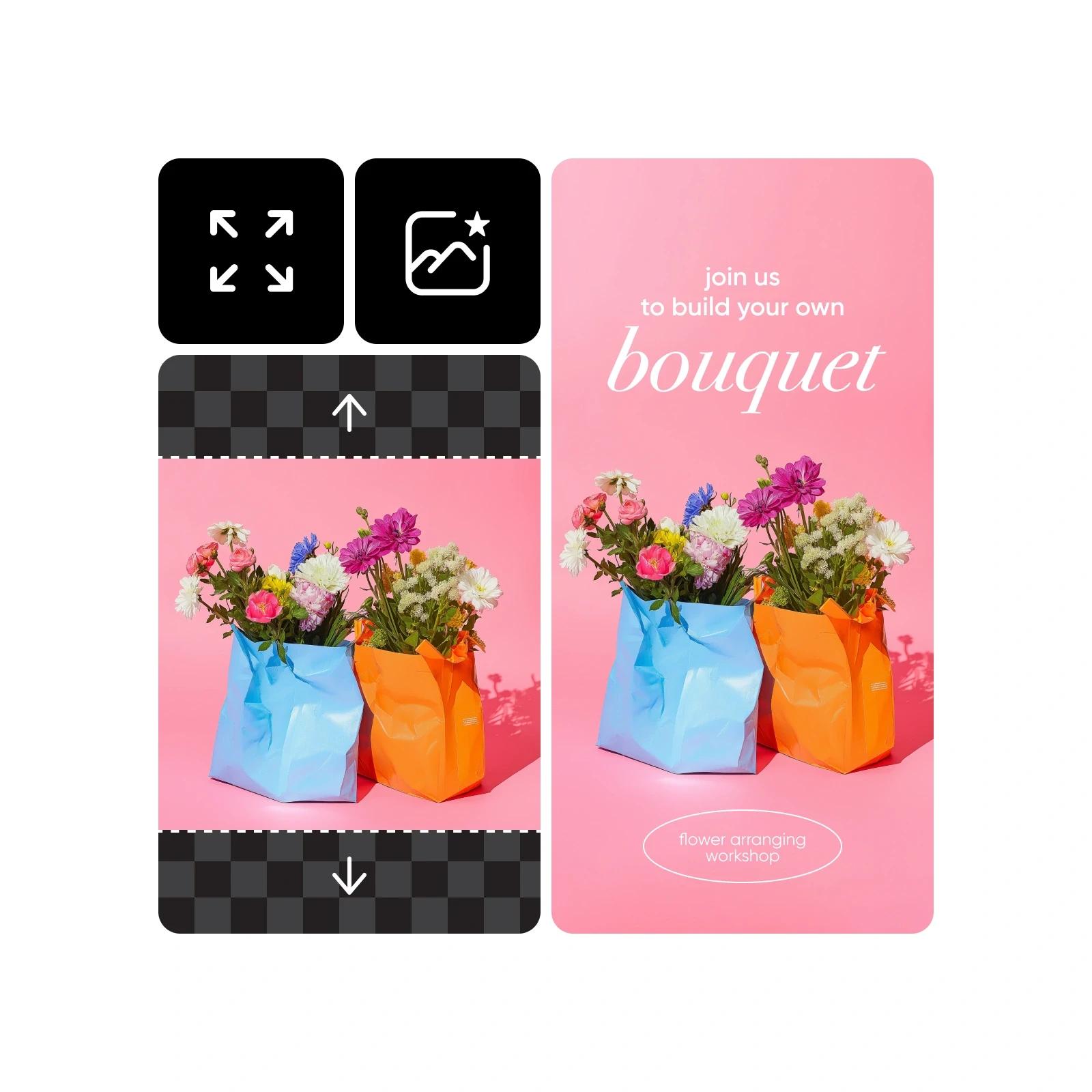
Because it’s built for speed and ease of use, PicsArt is great for marketing teams that need to produce high volumes of content. On the downside, it’s not designed for precision retouching or complex design work.
Pros:
- Very easy to use
- Excellent for social media formats
- Available on mobile and web
Cons:
- Limited advanced controls
- Less suitable for high-end design work
4. Canva Magic Expand
Best for: Quick marketing assets and presentations
Platform: Web, Desktop, Mobile
Canva’s Magic Expand makes AI image extension accessible to almost anyone. If you already use Canva for social posts, presentations or ads, this feature feels like a natural extension of your workflow. You simply select a new size, and Canva fills in the extra space for you.
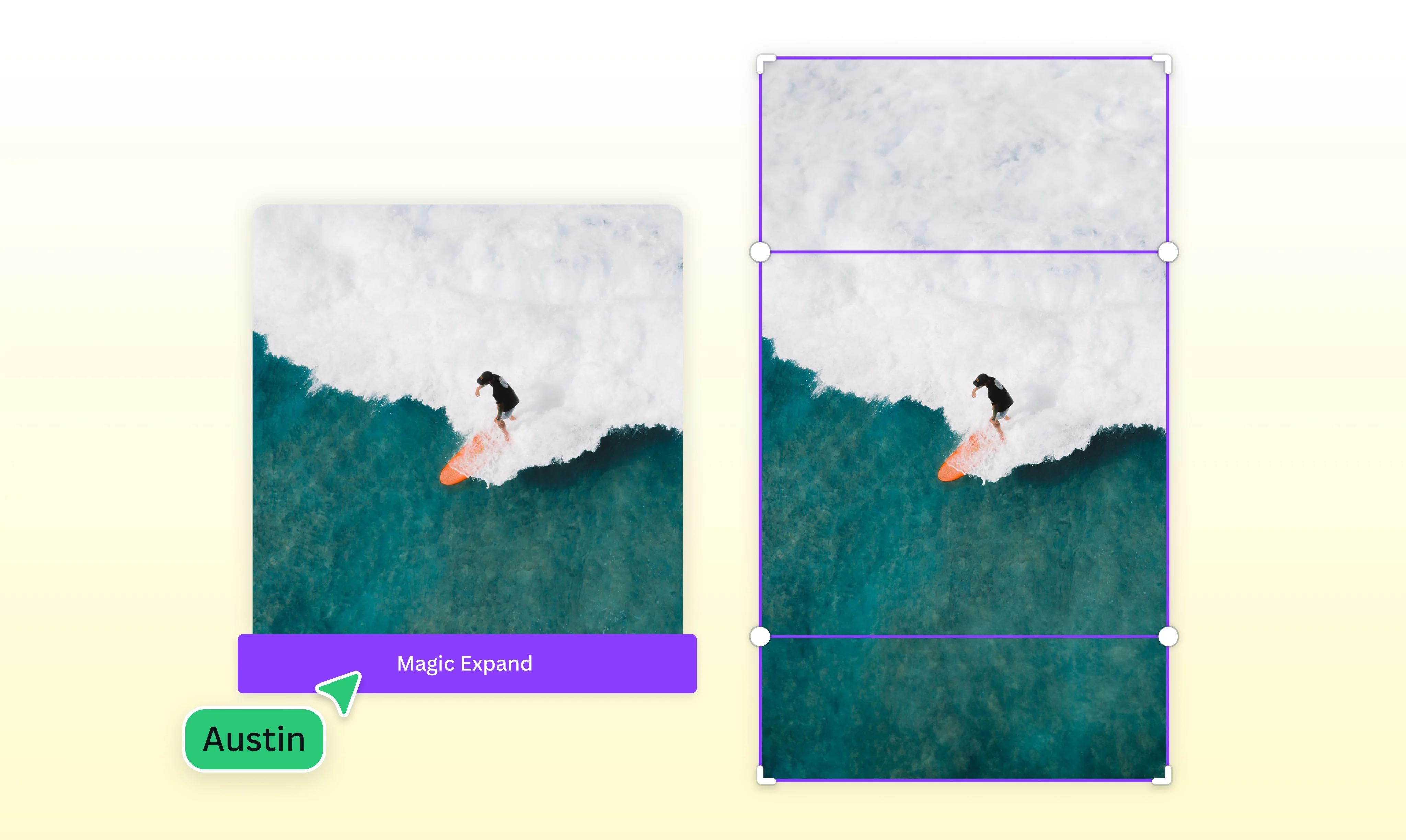
This simplicity is its biggest strength. However, because it prioritises ease of use, it doesn’t offer the same level of fine control that professional tools do. Even so, for many businesses, speed and convenience matter more than pixel-perfect precision.
Pros:
- Extremely user-friendly
- Fast results for common formats
- Perfect for non-designers
Cons:
- Limited customisation
- Not ideal for complex visuals
5. Fotor AI Expand
Best for: Beginners and quick edits
Platform: Web
Fotor’s AI Expand tool is designed to remove friction from the process. You upload an image, choose how you want to extend it, and the system generates the result automatically. This makes it a strong entry-level option for users who want quick improvements without learning new software.
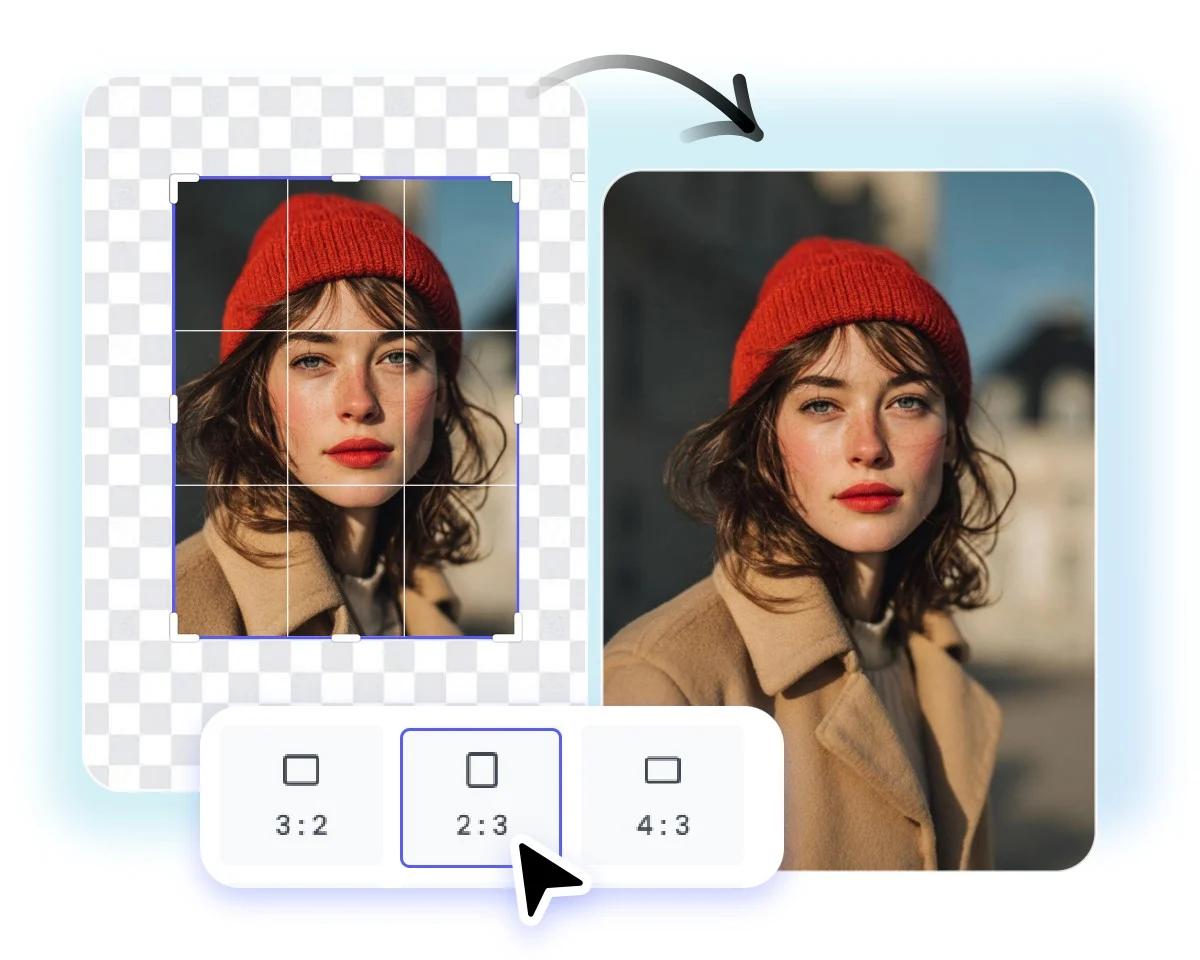
That said, the trade-off is control. While Fotor is efficient, it’s better suited to simple background extensions than to detailed, creative compositions.
Pros:
- Very simple workflow
- Fast results
- No advanced skills required
Cons:
- Fewer manual controls
- Best for basic use cases only
6. Getimg.AI
Best for: Creative teams needing flexibility
Platform: Web
Getimg.AI offers a more flexible approach to image extension, combining outpainting and inpainting features with custom prompts. This means teams can guide the AI more precisely, rather than relying entirely on automatic decisions.

As a result, it’s a strong choice for creative experimentation and branded visuals. However, because it offers more options, it can take slightly longer to master than simpler tools.
Pros:
- Greater creative control
- Good for branded and artistic visuals
- Supports custom prompts
Cons:
- Slightly steeper learning curve
- Not as “one-click” as simpler tools
7. ExtendImage.AI
Best for: Fast, no-frills image expansion
Platform: Web
ExtendImage.AI focuses on doing one thing well: expanding images quickly. It’s a practical solution when you simply need more space around an image for a layout, without spending time on fine details.
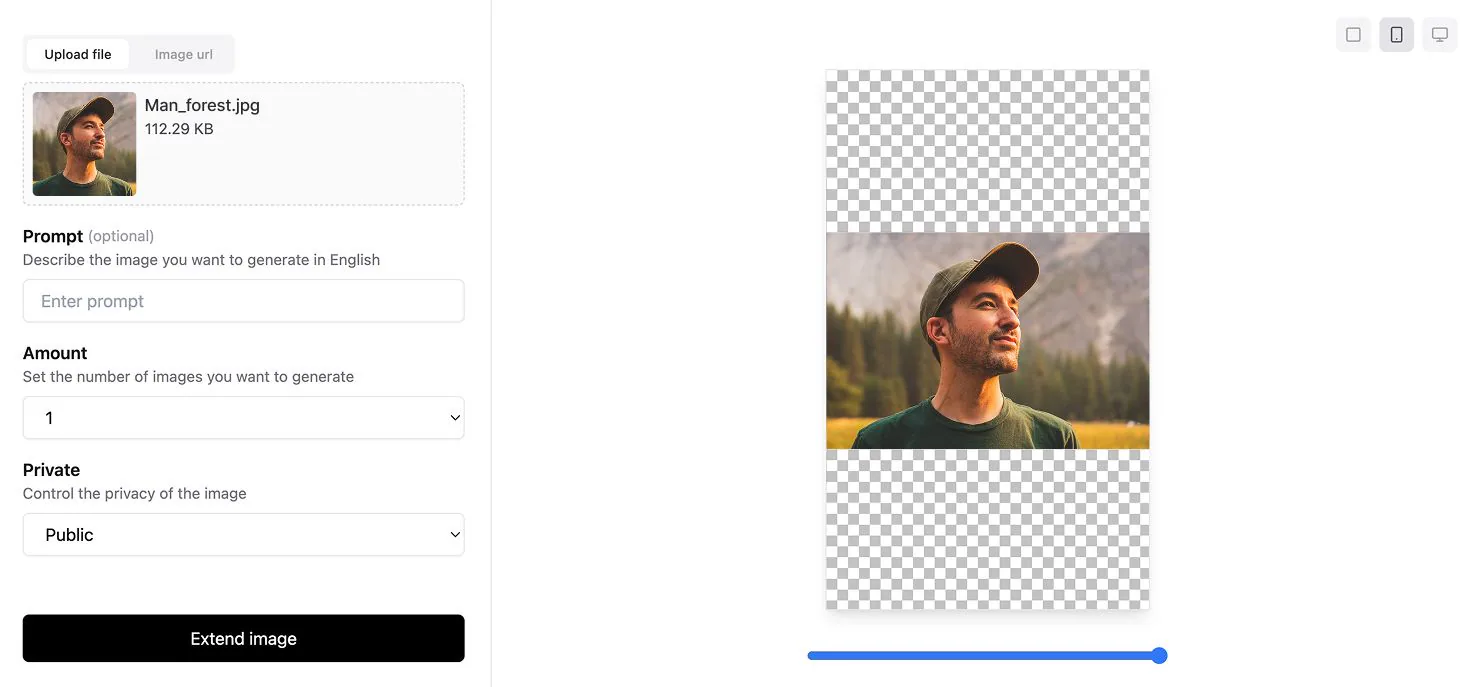
Because of this focus, it’s not designed for advanced creative work. Nevertheless, for fast-paced content production, it can be a very useful utility tool.
Pros:
- Very fast and simple
- Ideal for quick layout adjustments
- No complex setup
Cons:
- Limited features
- Not suitable for creative or detailed work
8. Hugging Face Diffusers (Outpainting Models)
Best for: Developers and technical teams
Platform: Web, API, Local deployment
Unlike the other tools on this list, Hugging Face Diffusers is aimed at developers rather than designers. It allows teams to integrate image extension directly into their own products or workflows, which is ideal for automation and large-scale systems.
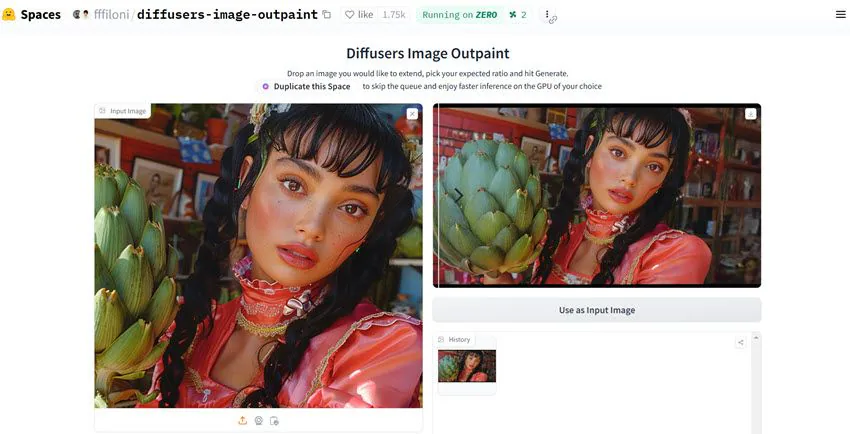
While this level of flexibility is powerful, it also means you need technical expertise to use it effectively. For most marketing teams, it’s overkill, but for product teams, it can be a strategic advantage.
Pros:
- Highly customisable
- Ideal for automation and integration
- Scales well for products and platforms
Cons:
- Requires technical knowledge
- Not a plug-and-play design tool
9. PicSo AI Image Extender
Best for: Individuals and small teams
Platform: Web
PicSo positions itself as a simple, approachable AI image extender. It’s easy to use and produces solid results for everyday tasks such as resizing images for blogs, social posts or simple ads.
While it won’t replace professional design software, it fills an important gap for users who want decent results without complexity or cost.
Pros:
- Easy to get started
- Suitable for small teams and solo creators
- Quick turnaround
Cons:
- Limited advanced features
- Not built for large-scale design systems
10. Nano Banana Image Extender
Best for: Creative experimentation and visual storytelling
Platform: Web
Nano Banana is more experimental in nature, focusing on creative continuity and visual harmony. It’s particularly interesting for designers who want to explore more artistic or immersive compositions, rather than purely functional resizing.

However, because it leans towards experimentation, it may not always deliver predictable, production-ready results. For concept work and creative exploration, though, it’s a valuable addition to the toolkit.
Pros:
- Strong creative focus
- Interesting results for concept visuals
- Good for experimentation
Cons:
- Less predictable outputs
- Not always ideal for commercial production
Choosing the Right AI Image Extender for Your Needs
With so many capable tools available in 2026, choosing the best AI image extender is less about chasing features and more about matching the tool to your real business needs.
In practice, the right choice depends on your team’s workflow, skill level, output volume and quality expectations. Below, we break this down into four clear scenarios to help you decide with confidence.
1. For Professional Results: Adobe Firefly and Getimg.AI
If your priority is visual quality, brand consistency and creative control, then professional-grade tools such as Adobe Firefly and Getimg.AI are the strongest options.
These platforms are designed for teams that care deeply about lighting, perspective, texture and composition, which is critical for campaigns, premium websites and high-impact advertising.

In real terms, this approach works best when:
- You are producing hero images, landing page visuals or campaign creatives
- You need results that can pass brand or client approval without heavy rework
- Your designers already work in tools like Photoshop or advanced creative suites
For example, a brand campaign image shot in portrait format can be extended into a wide billboard layout while preserving the scene’s depth, shadows and colour grading. Instead of looking “AI-stretched”, the image feels as though it was always composed that way.
How to use these tools effectively:
- Start with high-quality source images for the best results
- Use guided prompts or selection tools to control where the image is extended
- Review outputs at 100% zoom to check for artefacts before final export
While these tools require more skill and time to master, the trade-off is clear: you gain precision, reliability and results that meet professional standards.
2. For Social and Rapid Content Creation: PicsArt, Canva and Photoroom
On the other hand, if speed and volume matter more than fine-grained control, tools like PicsArt, Canva and Photoroom are far more practical. These platforms are built for marketing teams, social media managers and content creators who need to adapt visuals quickly across multiple channels.
This is the right category if:
- You regularly resize images for Instagram, LinkedIn, TikTok, banners and ads
- You need quick turnarounds for campaigns or promotions
- Your team includes non-designers who still need to produce visual content
For instance, you might take one square product image and instantly generate:
- A vertical version for Stories
- A wide version for a website banner
- A landscape version for ads
All of this can be done without manually redesigning the layout or cropping out important elements.
Best practice tips:
- Choose preset formats that match your platforms (e.g. social, display, web)
- Always do a quick visual check to ensure the AI hasn’t added distracting elements
- Keep your brand colours and visual style consistent across outputs
In short, these tools help you move faster, publish more consistently, and reduce dependency on full design workflows.
3. For Simple or Free Image Fixes: ExtendImage.AI, Fotor and PicSo
Sometimes, you don’t need a full creative suite, you just need more space around an image so it fits a layout. That is exactly where simpler tools like ExtendImage.AI, Fotor and PicSo shine.

These tools are ideal when:
- You are adjusting blog images, thumbnails or basic web visuals
- You want quick results with minimal setup
- You don’t need advanced creative control or complex edits
For example, if a blog header image is slightly too narrow for your website layout, you can use one of these tools to extend the background naturally rather than stretching or cropping the image.
A simple workflow might look like this:
- Upload the image
- Select the new size or canvas area
- Let the AI fill in the missing space
- Download and use it immediately
Because these tools prioritise simplicity, they are perfect for small teams, solo marketers or quick fixes during busy production cycles. However, they are best reserved for straightforward tasks rather than high-visibility brand assets.
4. For Development and Automation: Hugging Face Diffusers
Finally, if you are building products, platforms or automated content pipelines, Hugging Face Diffusers offers a very different kind of value. Rather than being a design tool, it is a developer-focused solution that allows you to integrate AI image extension directly into your systems.
This approach makes sense when:
- You want to automate image resizing or expansion at scale
- You are building a SaaS product, CMS or content platform
- You need programmatic control over how images are generated and extended
For example, an e-commerce platform could automatically extend product images into multiple formats as soon as a seller uploads them, without any manual design work involved.
Key considerations before choosing this route:
- You will need technical expertise to implement and maintain it
- You should define clear rules for image quality and output formats
- You may still want human review for high-impact visuals
In return, you gain scalability, consistency and deep integration into your digital infrastructure, something no “one-click” design tool can offer.
Transform Your Visual Content with the Right AI Tools
AI image extenders are no longer just creative tools, they are a competitive advantage. When used strategically, they help you move faster, scale content production, and deliver consistent visual experiences across every digital touchpoint.
At Saigon Digital, we help ambitious brands turn AI and automation into measurable results, from high-performance websites to SEO and AI-powered marketing workflows. If you want to implement the best AI image extender tools in a way that actually supports your business goals, our team is here to help.
Let’s talk about how AI can upgrade your visual content strategy.
Get in touch with Saigon Digital today and start building smarter, faster, and more scalable digital experiences.
Want to be the brand AI engines recommend?
We make businesses visible on Google and inside AI answers, measured in leads, not vanity metrics.